 Opening your Starter Kit…Opening your Starter Kit…
You are about to run your own travel business: book flights, tours, eSIMs and more for your clients at agent rates, under your own agency name, and earn on every sale.
Every task is explained in small numbered steps with a picture of the real screen. The orange numbers on each picture match the steps.
Pictures show the demo agency "WanderTravel Services". Your screens show your own name and balances.
Choose a plan and pay online or by bank. (Part 1)
Add your agency logo, check your profile. (Part 1)
Add money to your Booking Wallet. (Part 2)
Decide your profit per service. (Part 2)
Sell your first flight, tour or eSIM. (Part 3)
Share your links, build your team. (Parts 5 & 6)
Create your agent account, log in for the first time, learn the dashboard and set up your agency profile.
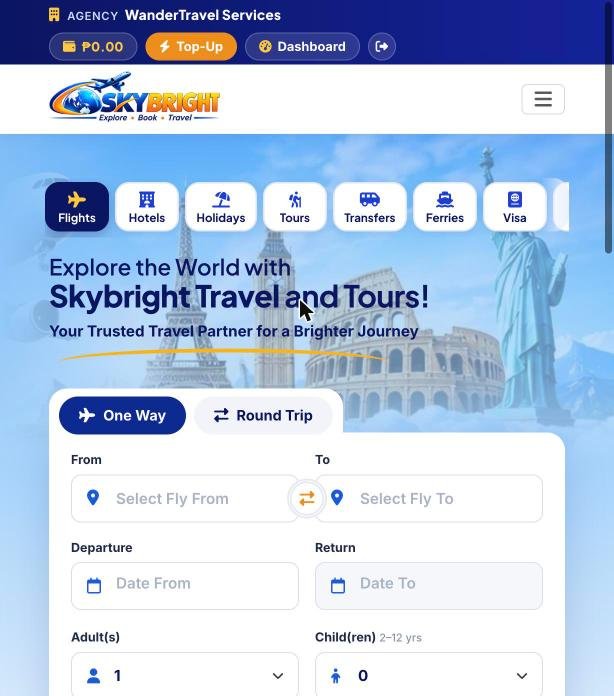
Everything your clients need for a trip, in one portal, paid from your Booking Wallet. Use the menu (computer) or the service tabs (phone).
Domestic and international, one way and round trip, with seats and extra baggage. Real e-tickets.
2.9 million hotels worldwide at agent rates, instant confirmation, branded voucher.
Day tours, island hopping and attraction tickets in the Philippines and abroad. Booked for you; ticket with your logo.
Private airport ↔ hotel cars and vans worldwide, booked online with instant confirmation and free cancellation.
Starlite routes booked by our team (Batangas, Romblon, Cebu, Caticlan...) plus instant online booking of all operators.
Bus seats from Manila to Luzon, trains abroad, and private bus or van rental with driver for groups.
Domestic, Asia and worldwide (Schengen-approved) plans with exact prices; policy PDF issued by our team.
Ready-made packages, plus private tours in Vietnam and China (Shanghai, Beijing, Zhangjiajie...).
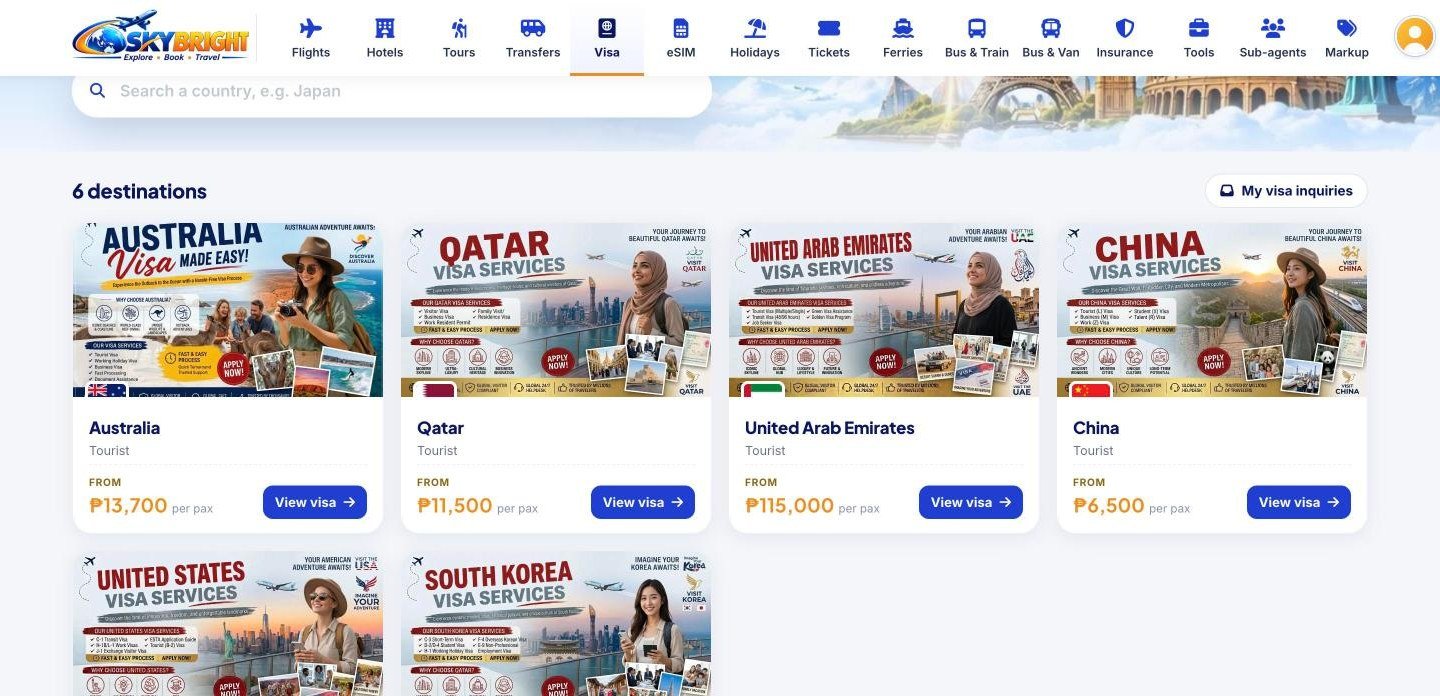
Visa assistance for Australia, Qatar, UAE, China, USA, South Korea and more.
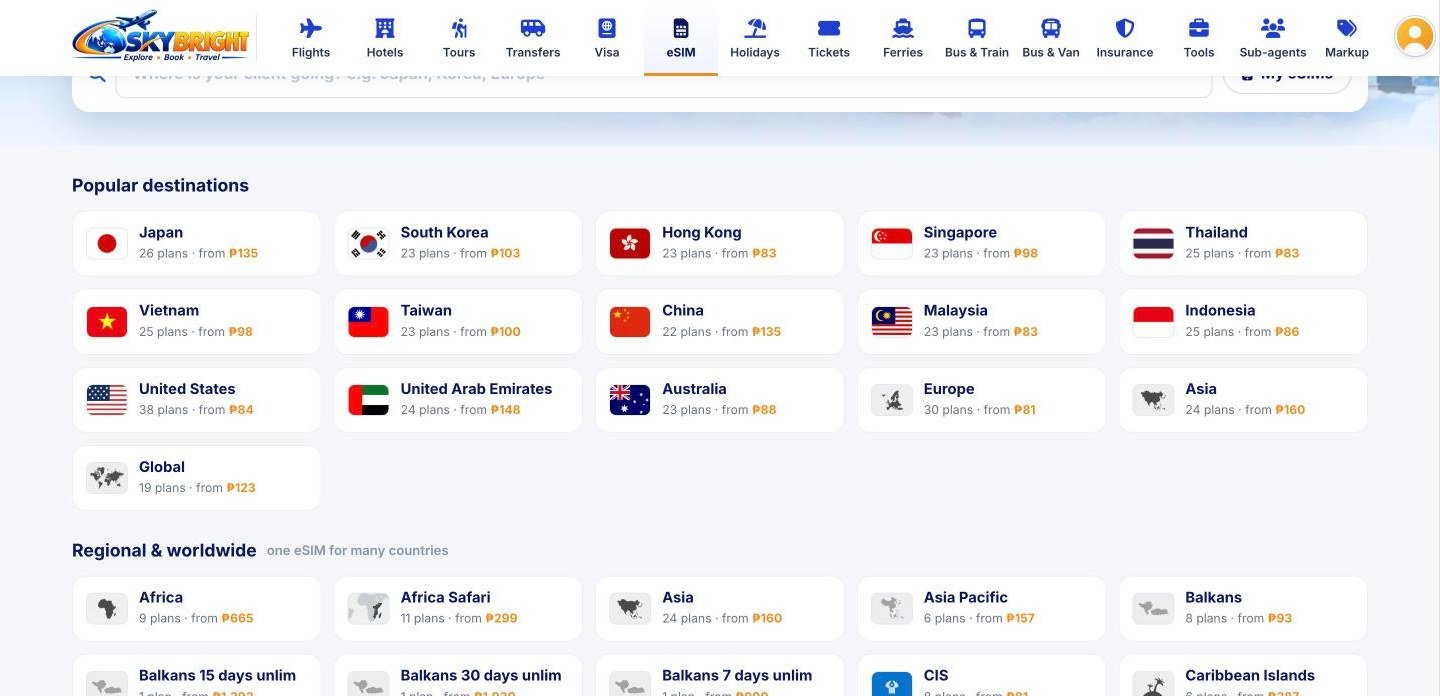
Travel data for 200+ countries from about ₱80, issued in seconds under your agency name.
Sign-up takes about 3 minutes. Open the referral link your sponsor sent you, or go to skybright.online and click Become a Skybright agent.
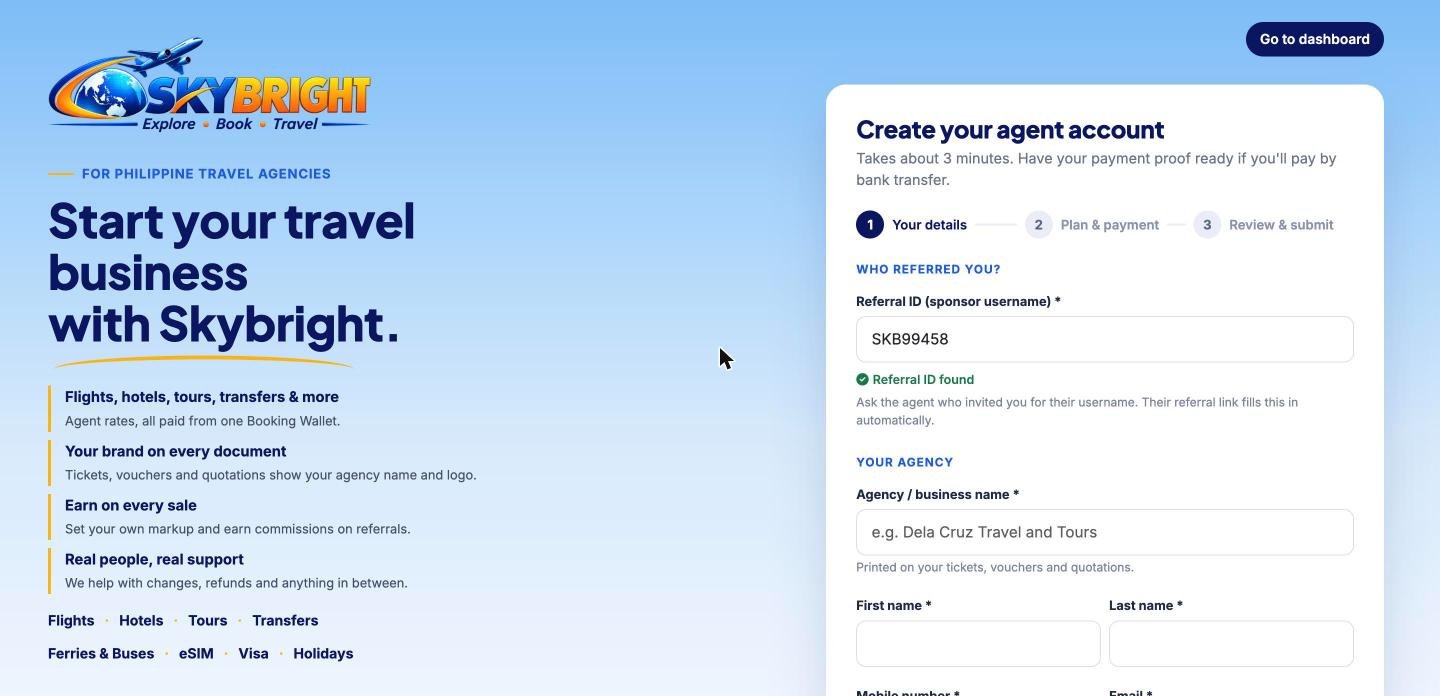 12
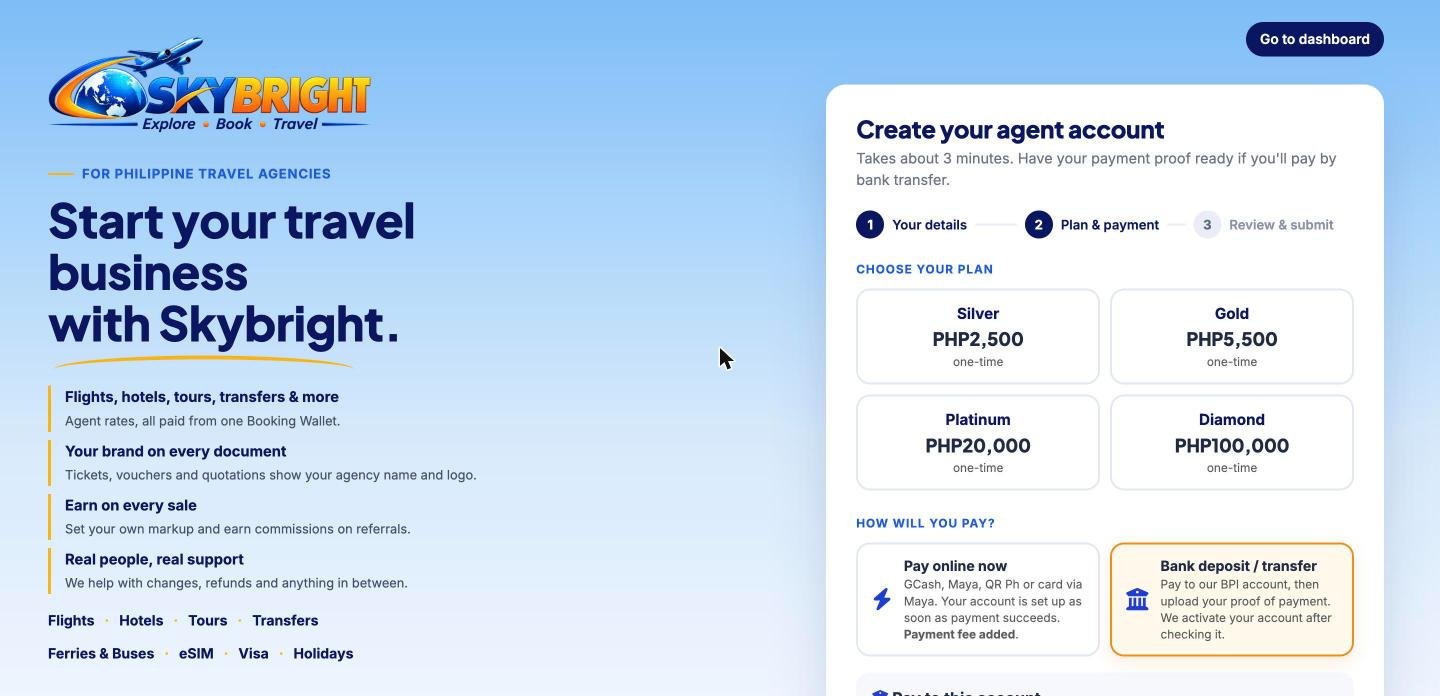 12
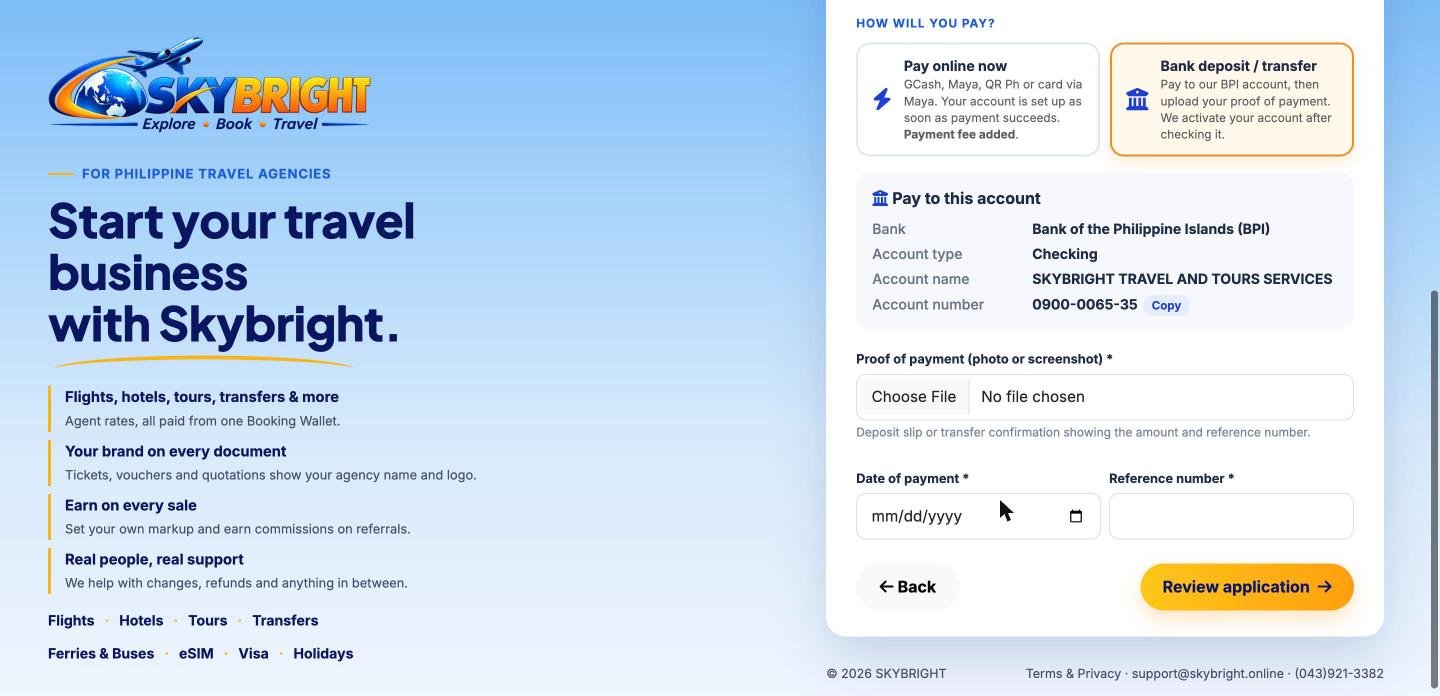 3456
When your account is ready you receive a welcome email with your username (it starts with SKB) and your login details.
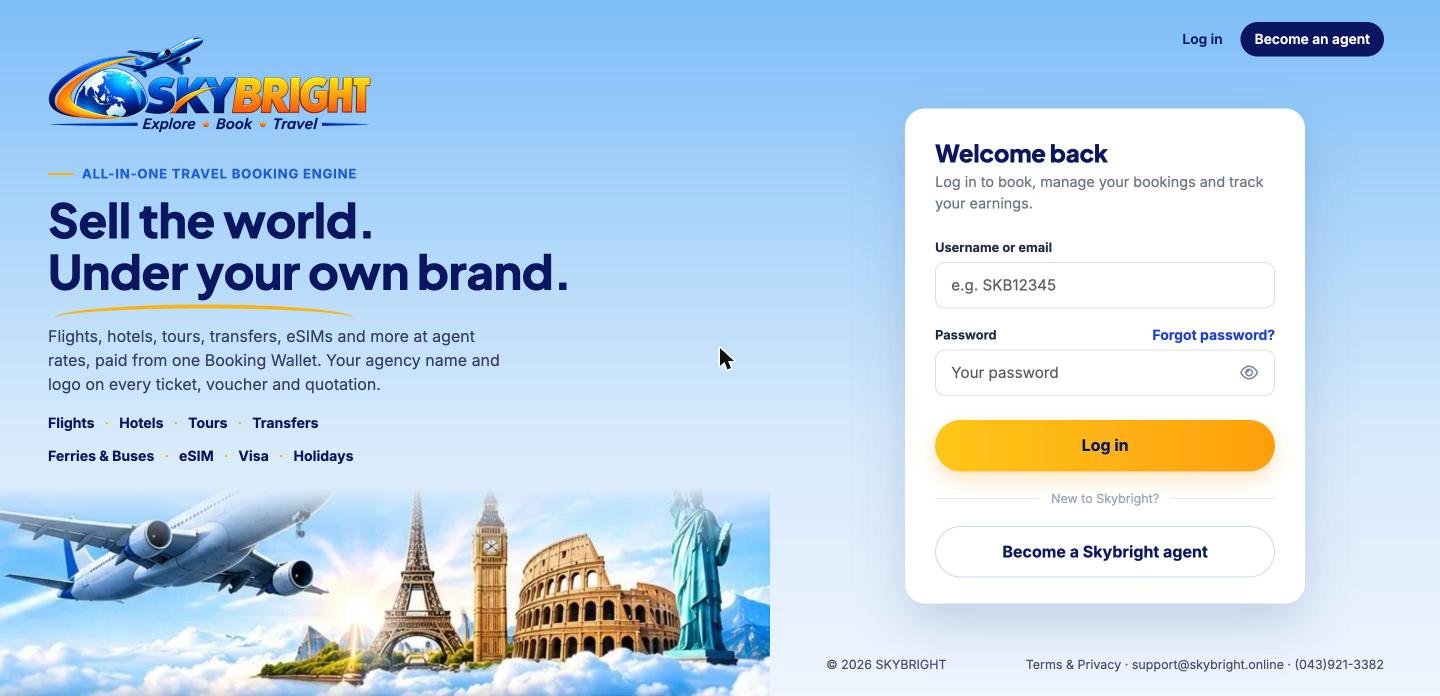 1234
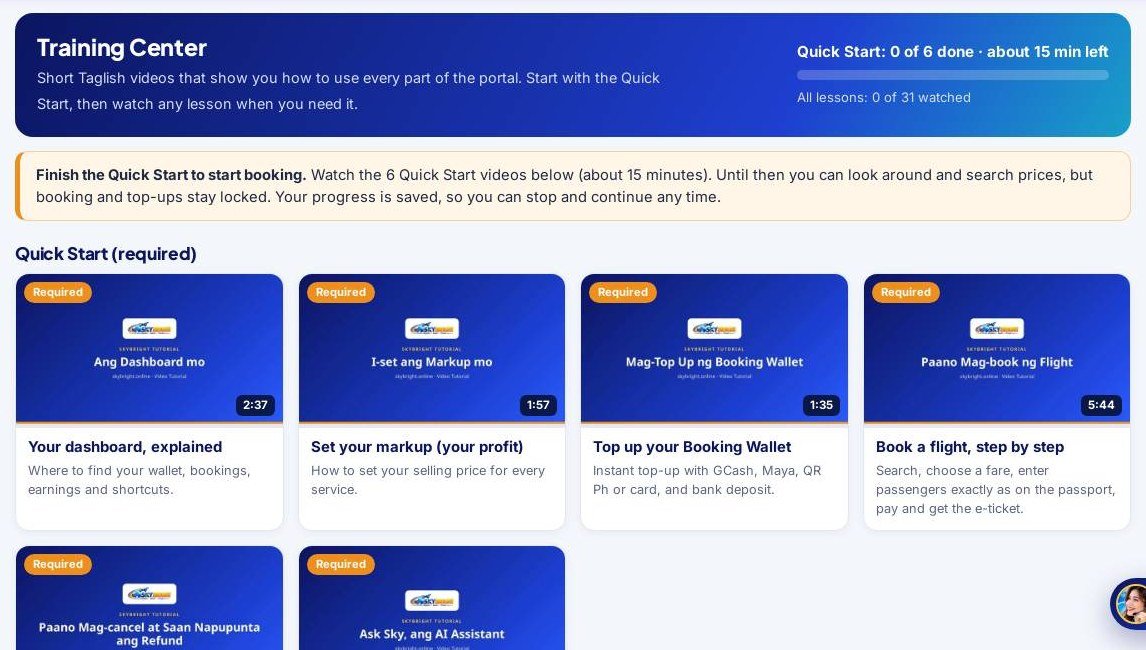
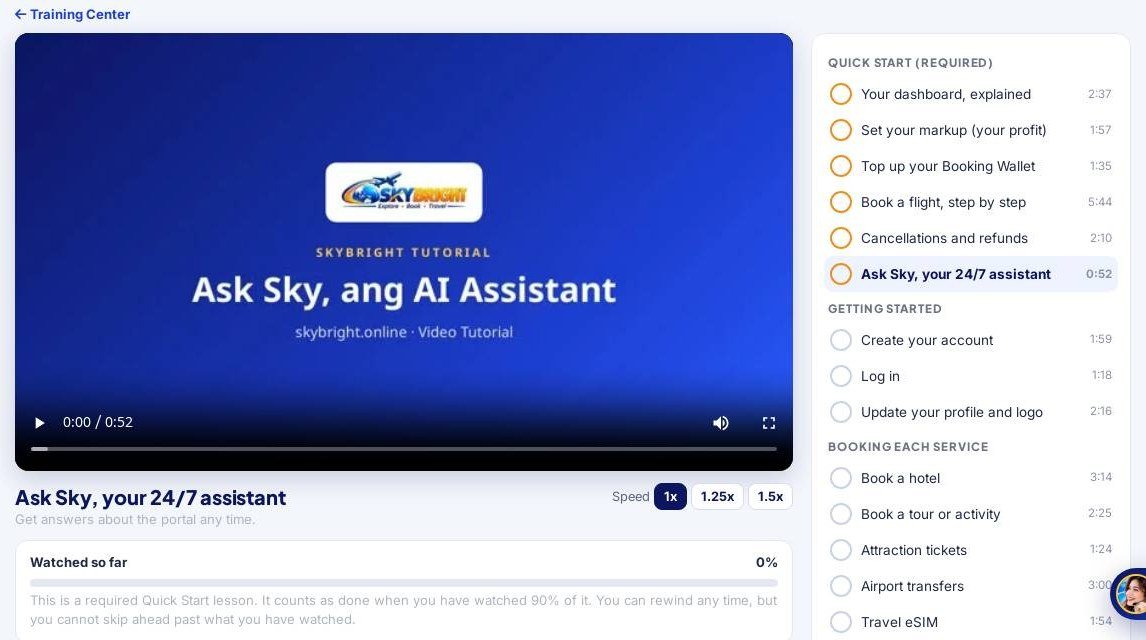
Right after your first login, watch the Quick Start: 6 short Taglish videos in the Training Center. New accounts can book and top up as soon as the Quick Start is finished.
 12
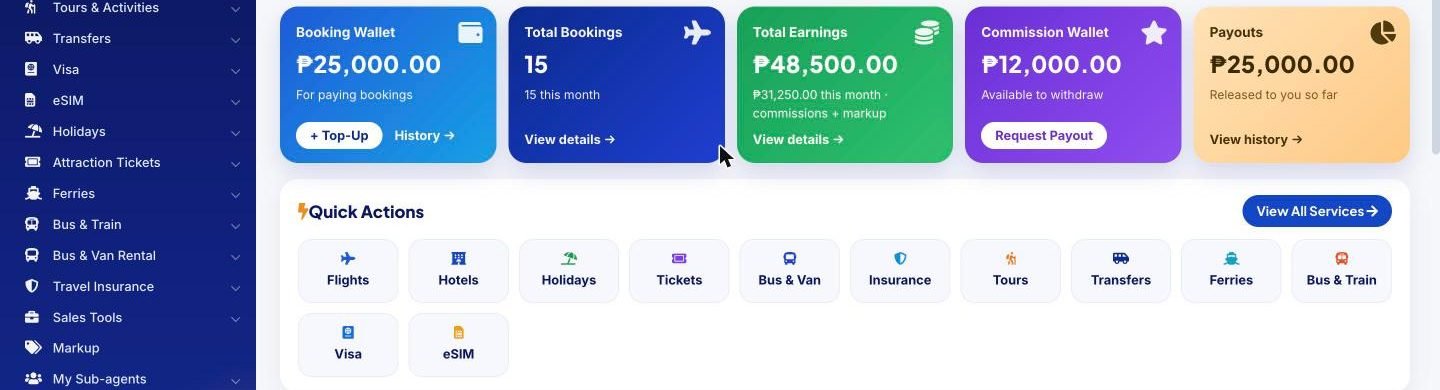
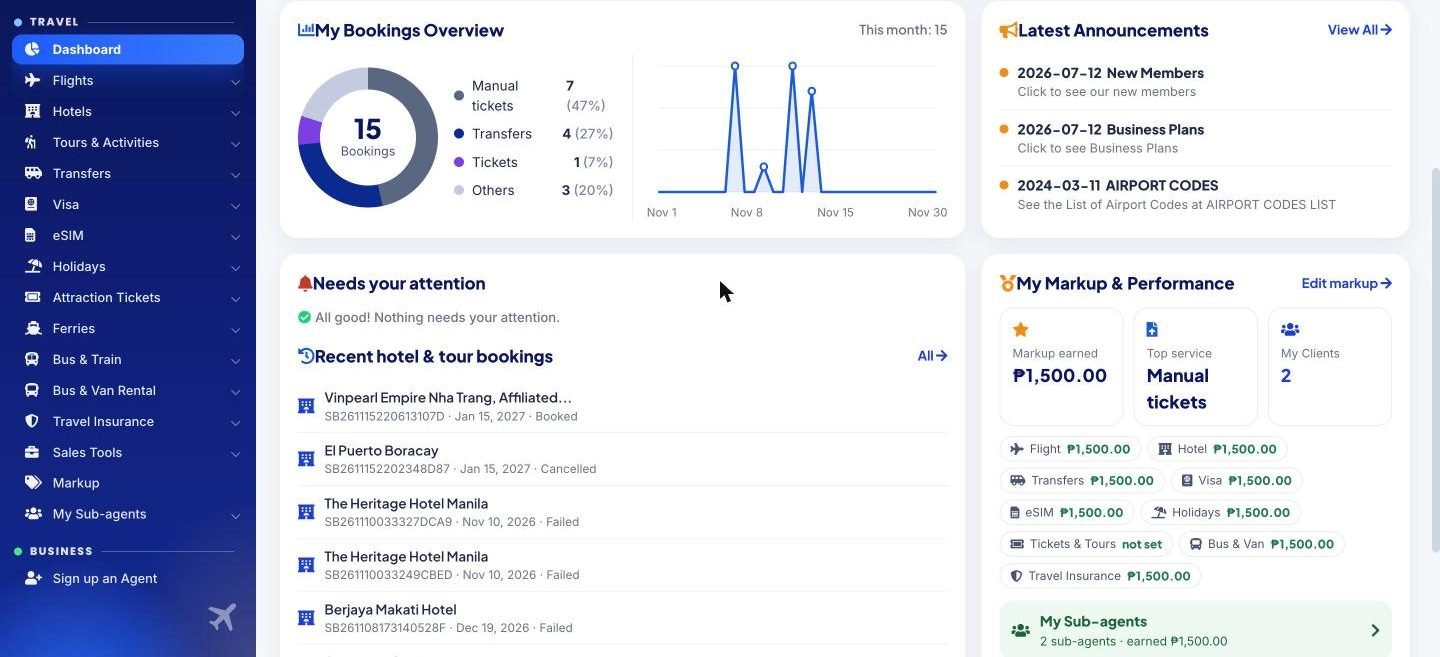
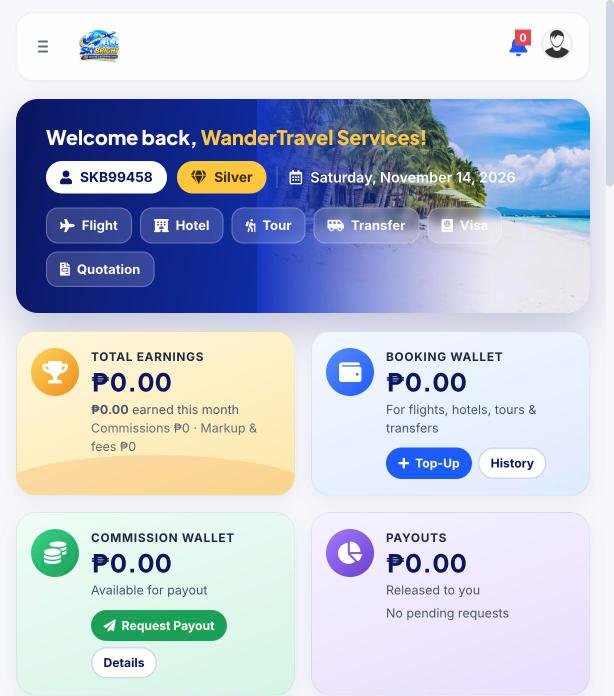
Your home screen: your money, your bookings and what needs your attention. The menu is grouped into Travel, Business and Account.
 1234567
 8910111213
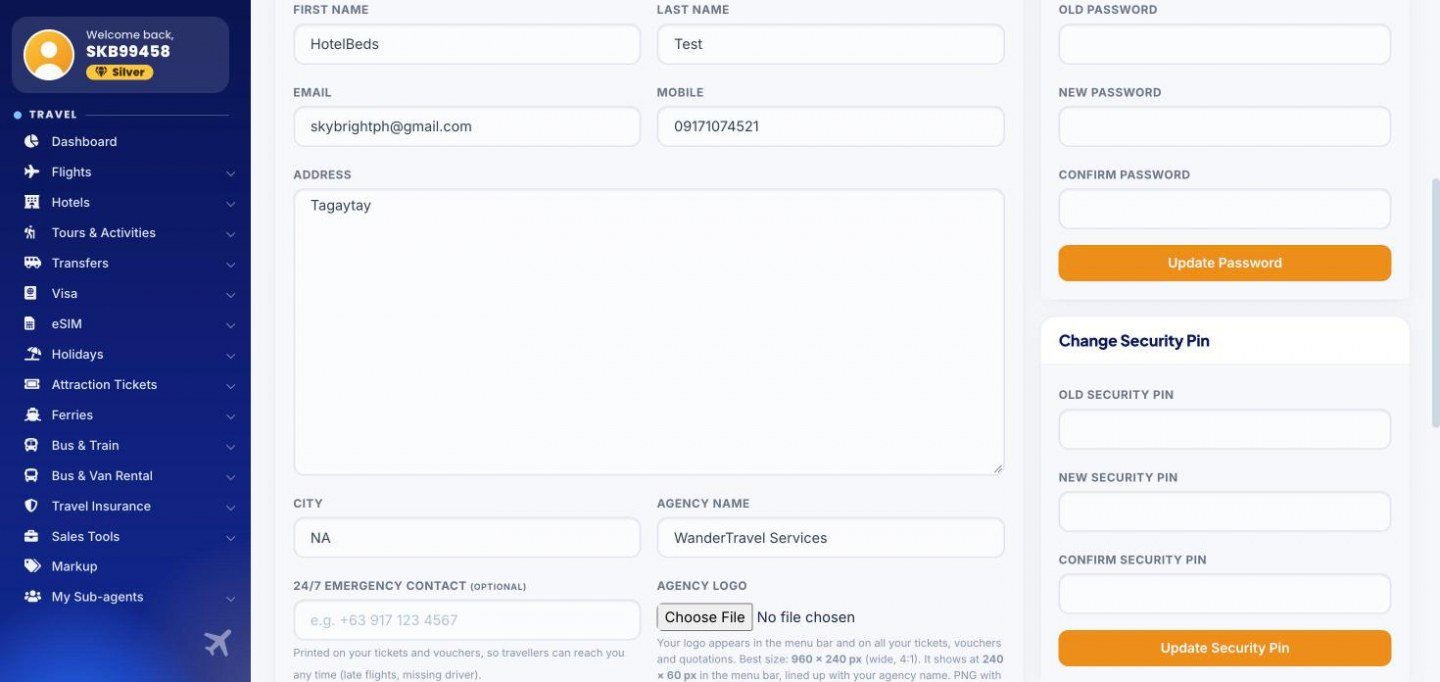
Do this once, right after your first login. Your agency name and logo appear on every ticket, voucher and quotation you give your clients.
 12345
Click Profile in the menu (or your round avatar at the top right), then:
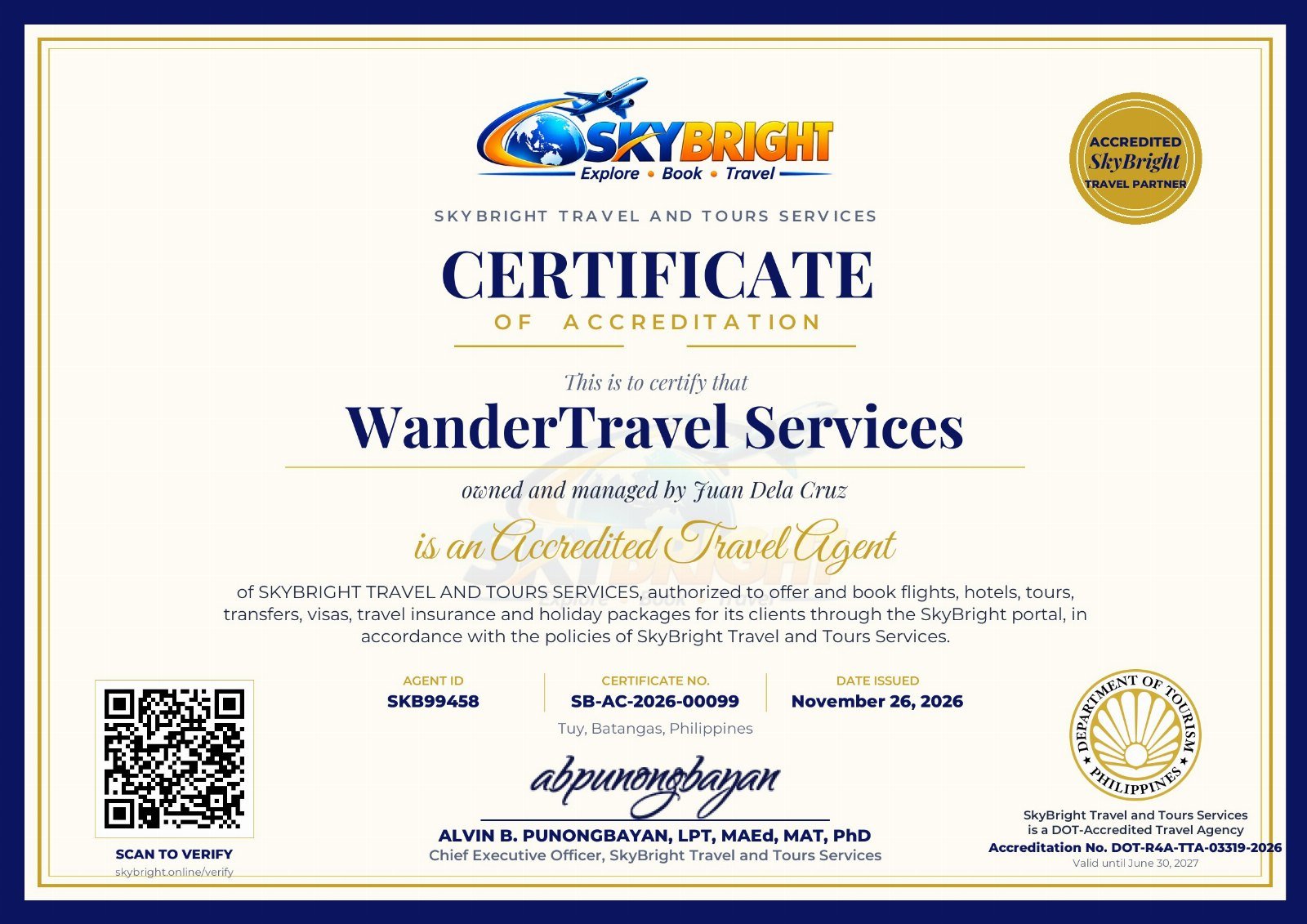
Every SkyBright agent, sub-agent and distributor gets an official Certificate of Accreditation, signed by our CEO, with a QR code anyone can scan to check you are a real SkyBright partner.
 1234
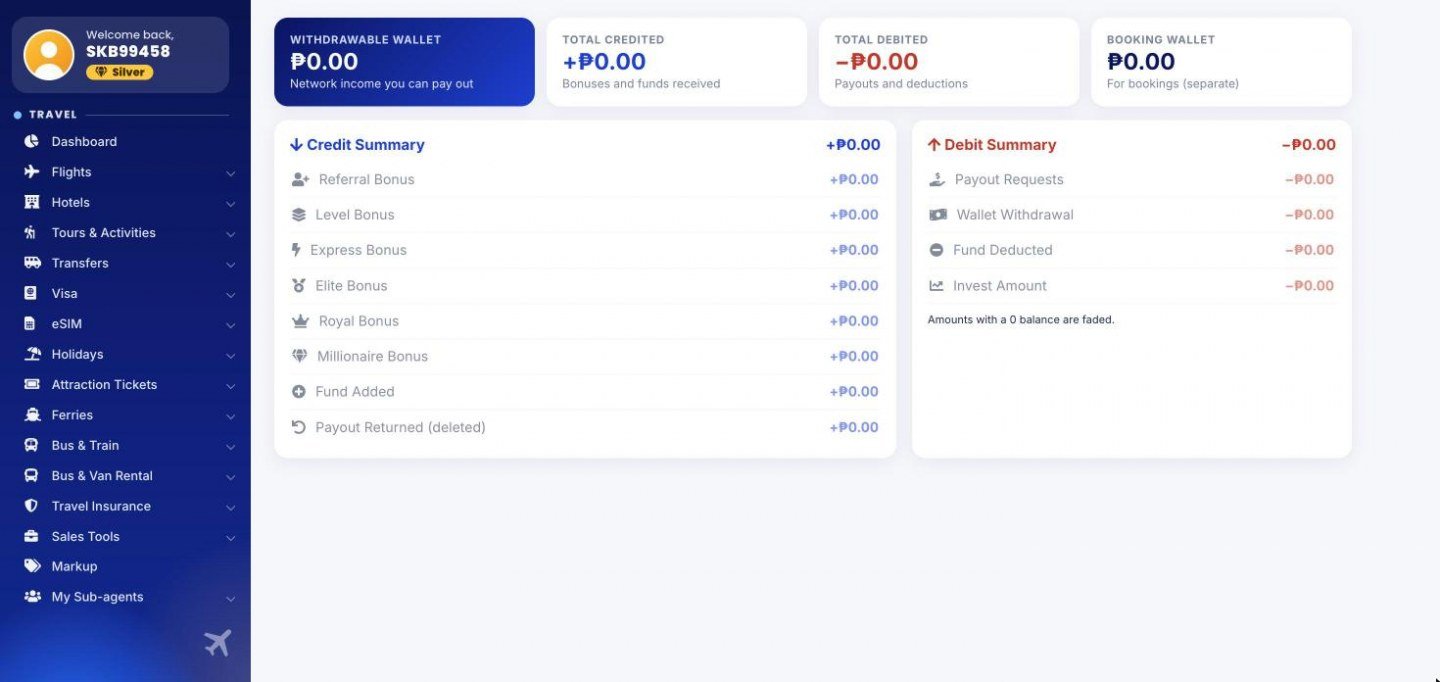
Skybright keeps your money in two separate wallets. Knowing the difference avoids most questions.
| Booking Wallet | Commission Wallet (withdrawable) | |
|---|---|---|
| What it is for | Paying for flights, eSIMs, hotels, holidays and other bookings. | Your network income, ready to cash out. |
| Money comes from | Your top-ups (online or bank), refunds of cancelled bookings, sub-agent fees and sub-agent commissions. | Referral bonuses, level bonuses and other network bonuses. |
| Money goes to | Your bookings (only your cost is charged, never your markup). | Payouts to GCash, Maya, banks or pick-up centers. |
| Where to see it | Dashboard > Booking Wallet > History. Also shown at the top of every booking page. | Menu > Wallet > Wallet summary. |
 12345
Load your Booking Wallet in under a minute and decide how much profit you make on every booking.
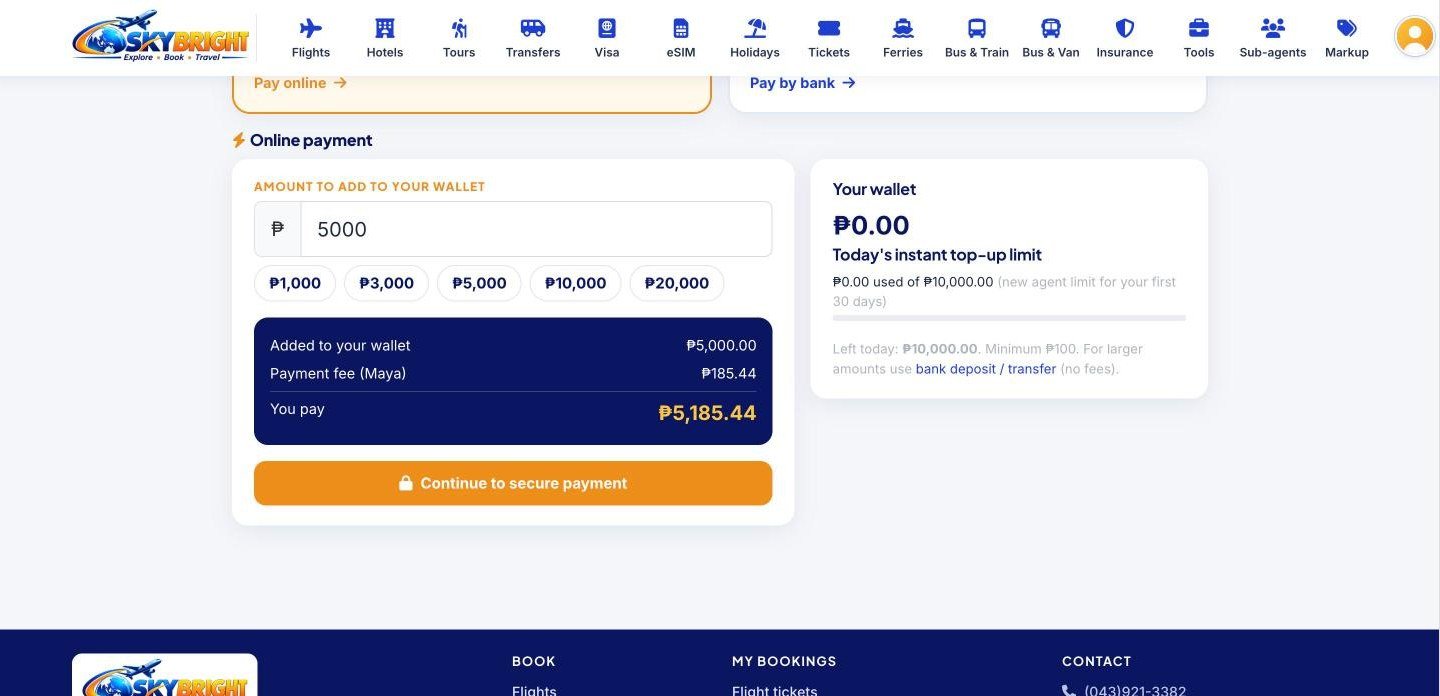
The fastest way to add money. Your Booking Wallet is credited automatically, usually within a minute. No receipt to upload, no waiting for approval.
 12345
Click the orange Top-Up button (top of every page, or on the dashboard Booking Wallet card). Under How do you want to pay? choose Pay online, then:
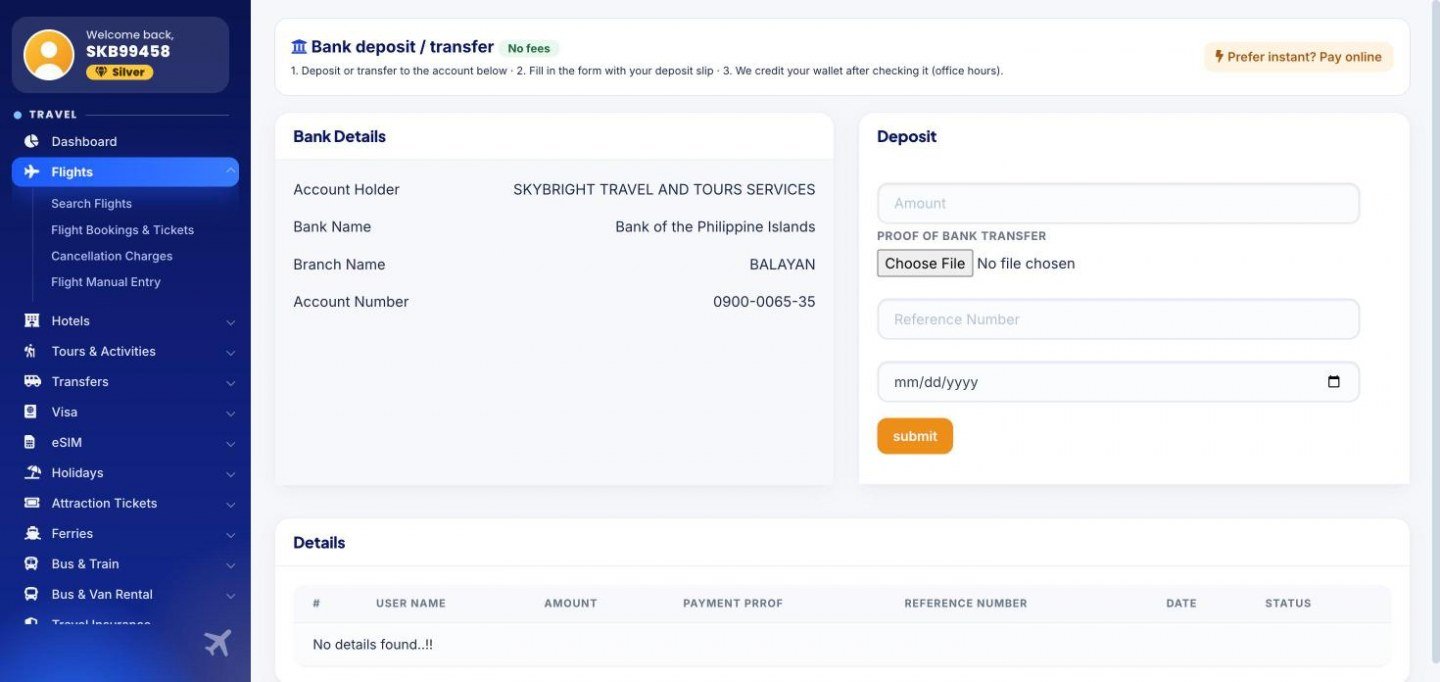
No payment fee from us, and no daily limit. Your wallet is credited after our team checks your proof of payment.
 1234567
On the Top-Up page choose Pay by bank (or Menu > Flights > Deposit), then:
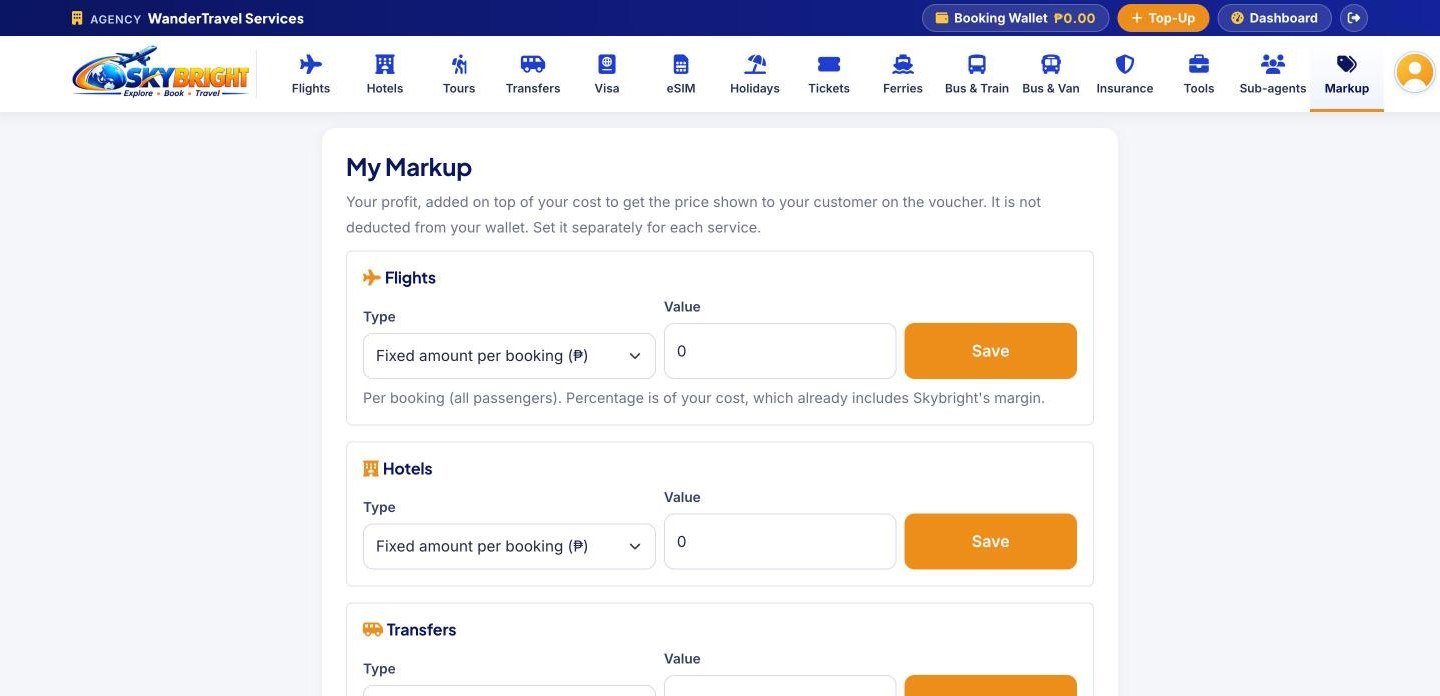
Your markup is added on top of your cost to make the price your client sees on the ticket or voucher. Your Booking Wallet is charged only your cost; the markup is your profit, which you collect from your client.
 123
Menu > Markup (or the Edit links in "My markup" on the dashboard). There is a separate setting for each service: Flights, Hotels, Tours & Activities, Attraction Tickets, Transfers, Ferries, Bus & Train, Bus & Van, Travel Insurance, Visa, eSIM and Holidays.
Step-by-step guides for flights, hotels, tours and tickets, transfers, ferries, buses, insurance, visas, eSIMs and holidays.
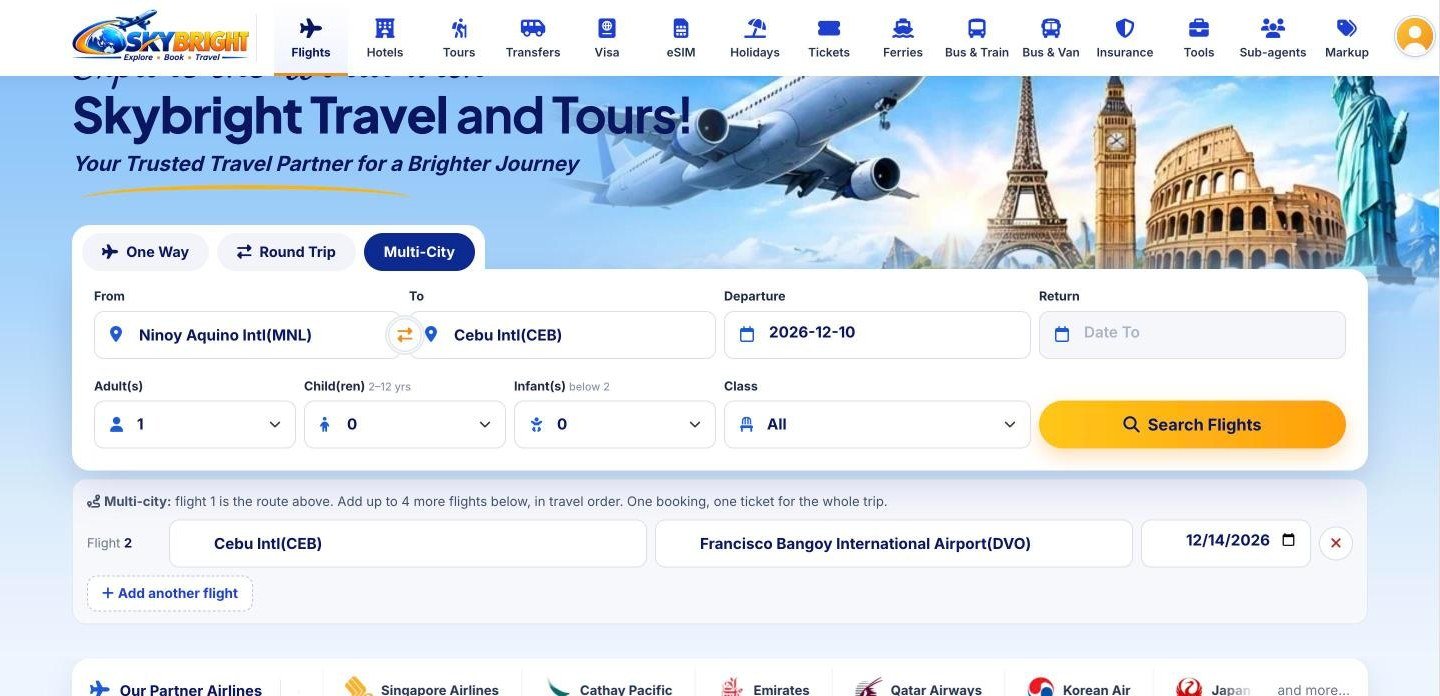
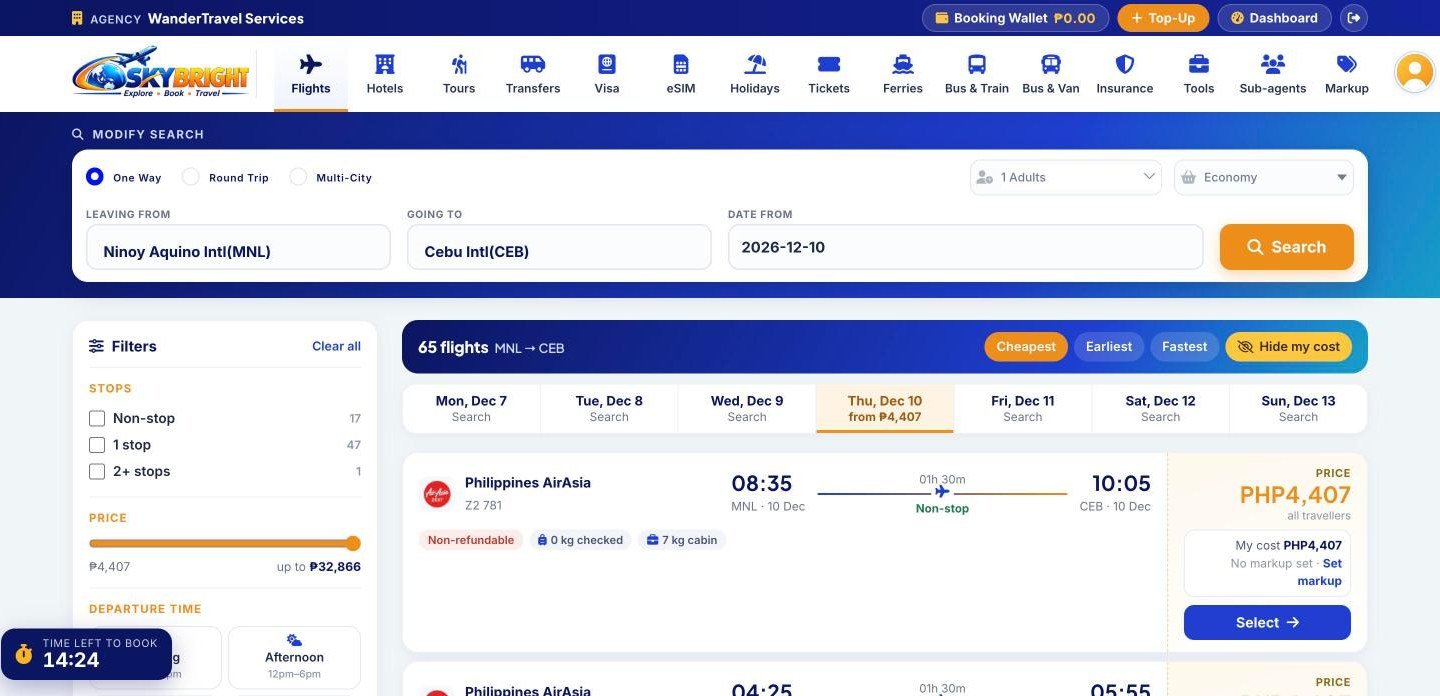
Menu > Flights > Search Flights (or the Flight quick button). Fares are live from the airlines, including Cebu Pacific, and each search compares several airline sources, showing the cheapest fare for every flight.
 1234567
 1234567
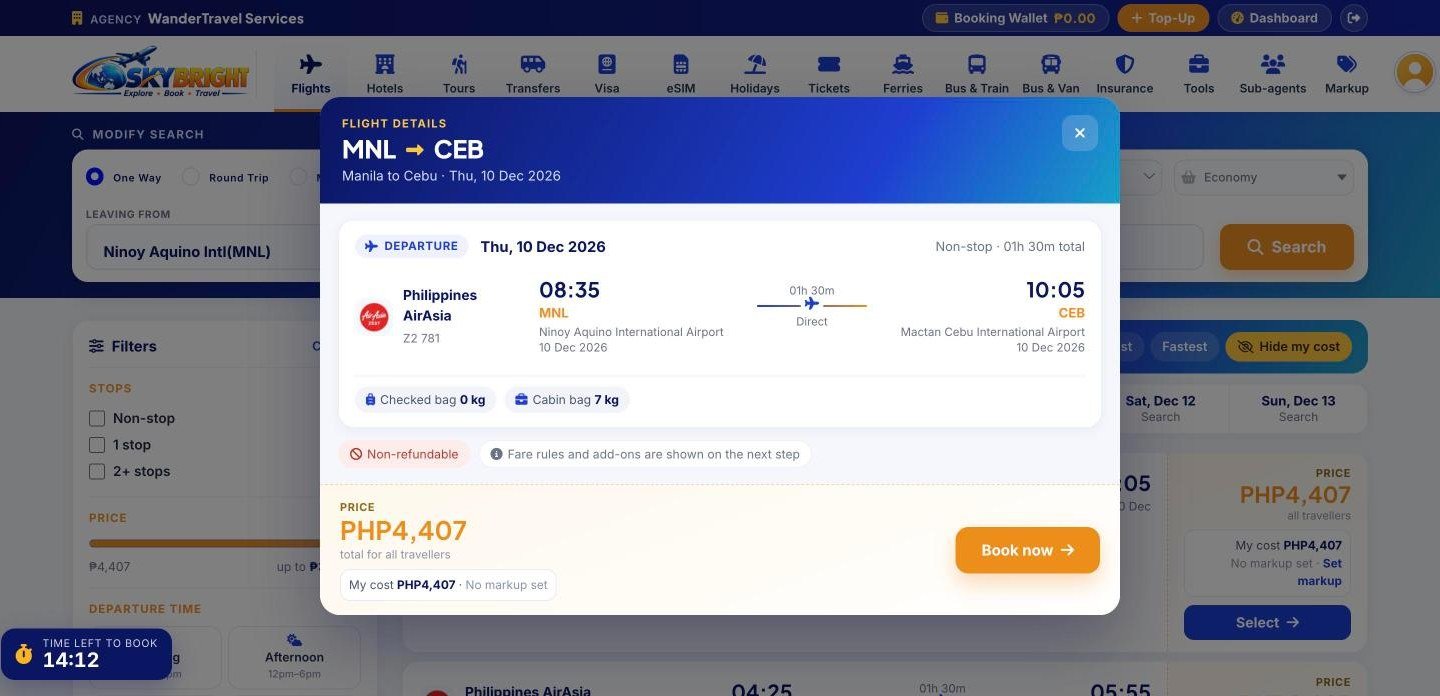 89101112
After Book now you fill in the travellers, choose seats and extra baggage if needed, and confirm. The airline issues the e-ticket within a few minutes.
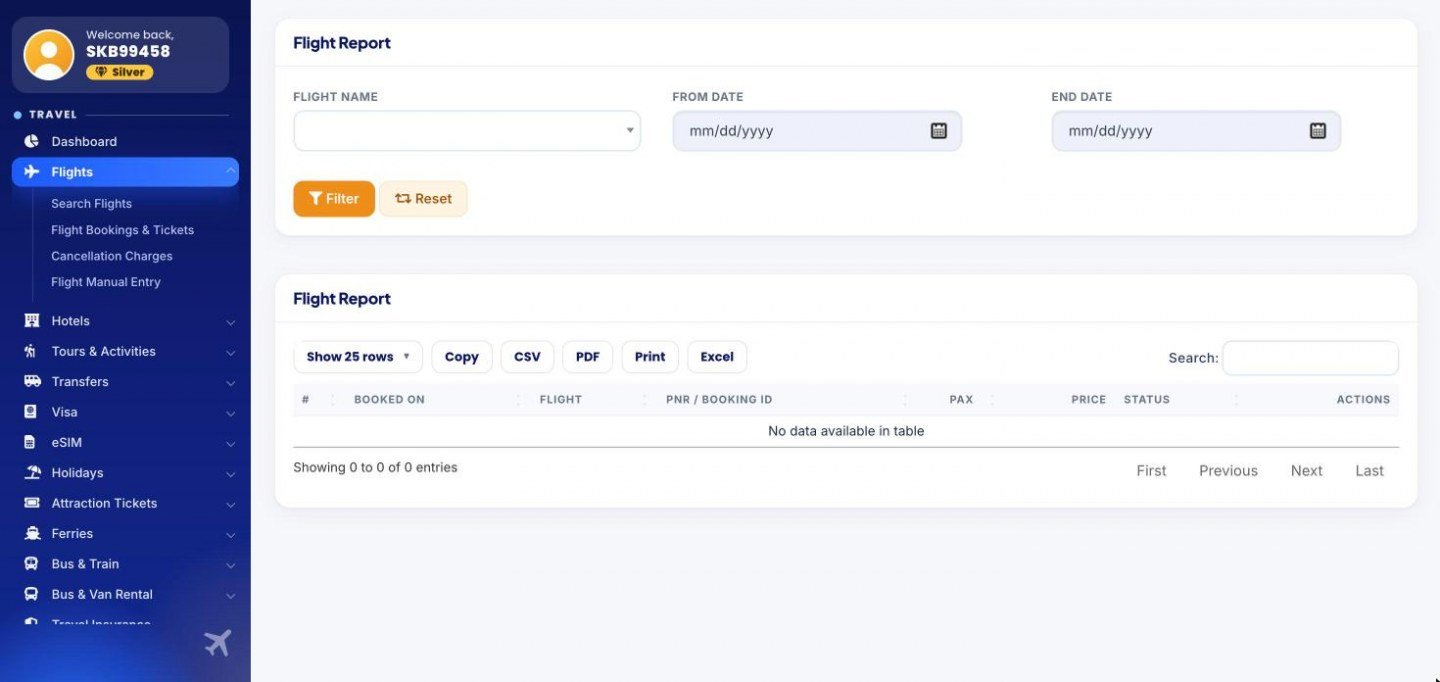 1234
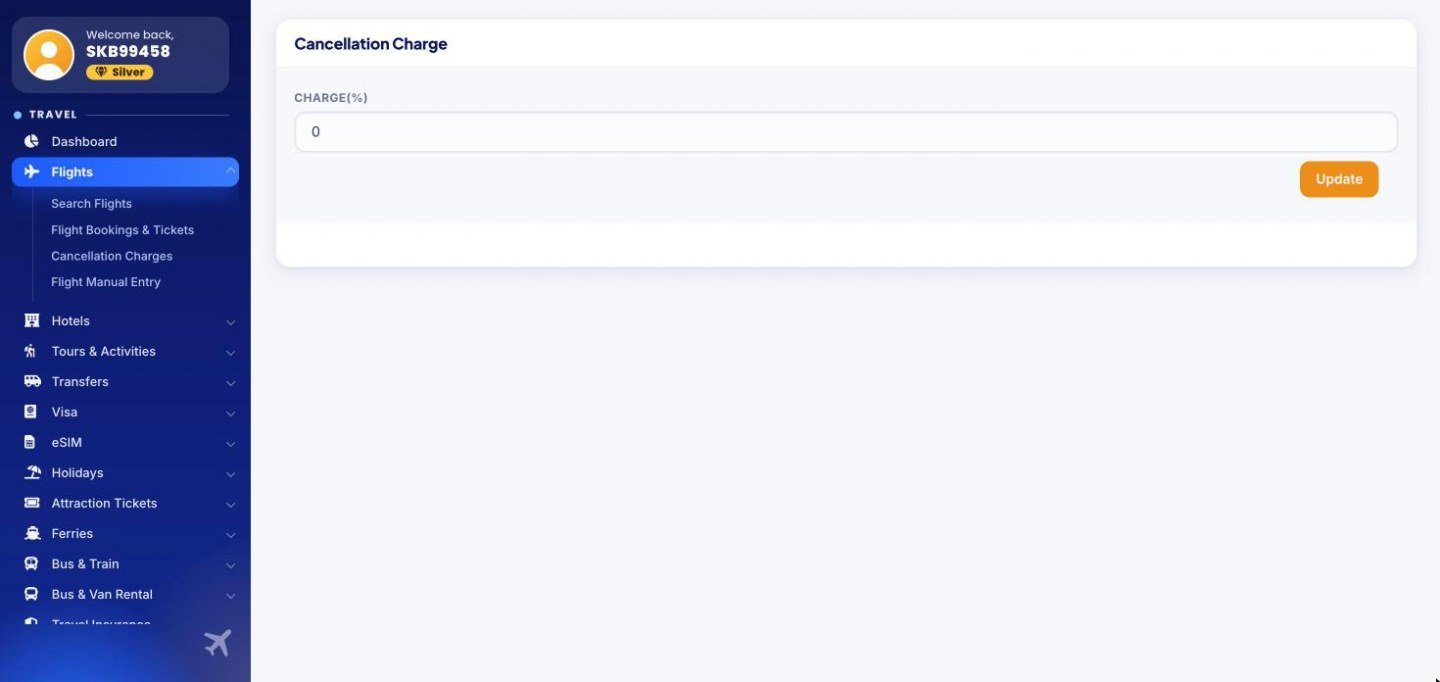
Menu > Flights > Cancellation Charges lets you set your own fee (in %) that you charge your client for cancellations. Type the percentage and click Update.
Book 2.9 million hotels worldwide at agent rates. Bookings are confirmed instantly and paid from your Booking Wallet. Here is how it works.
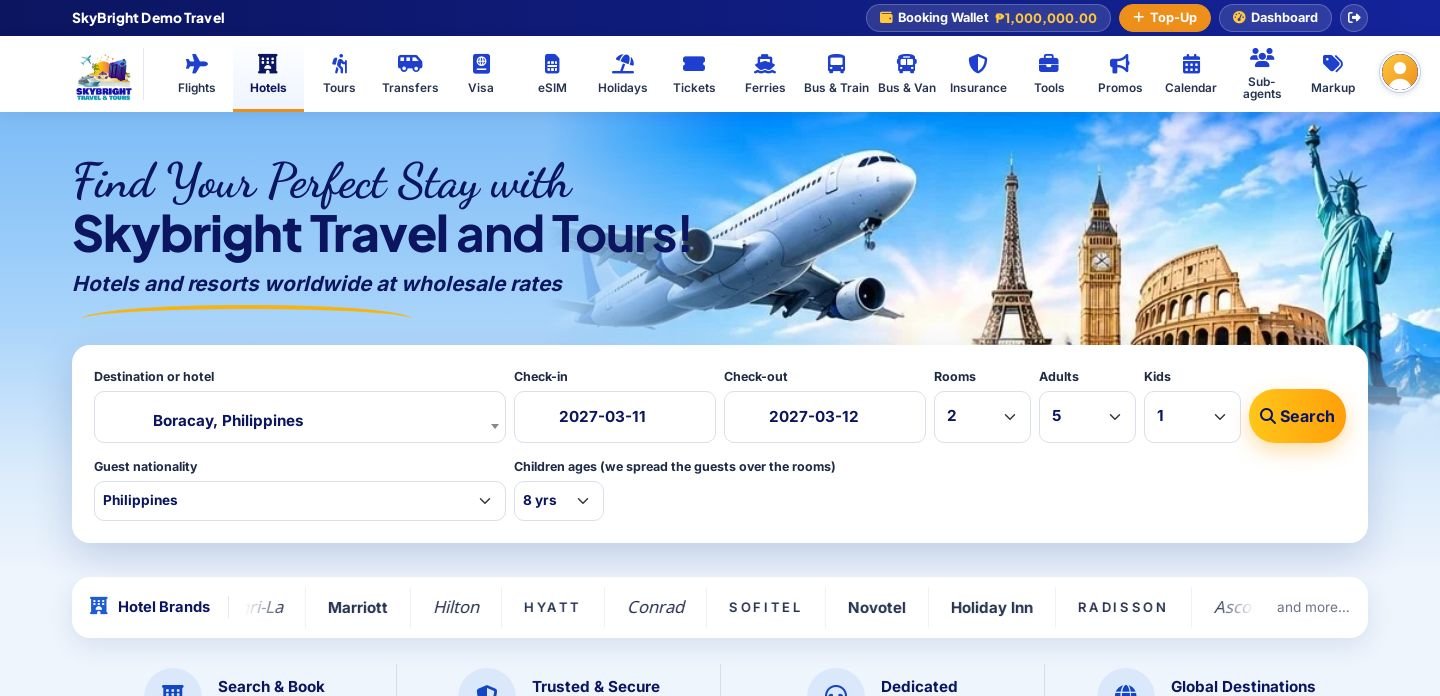 123456
About 60,000 day tours, island hopping, cruises and attraction tickets worldwide, booked inside the portal and paid from your Booking Wallet. Two ways to book: Manual (our team books it for you, below) and ⚡ Instant (confirmed in minutes, next page).
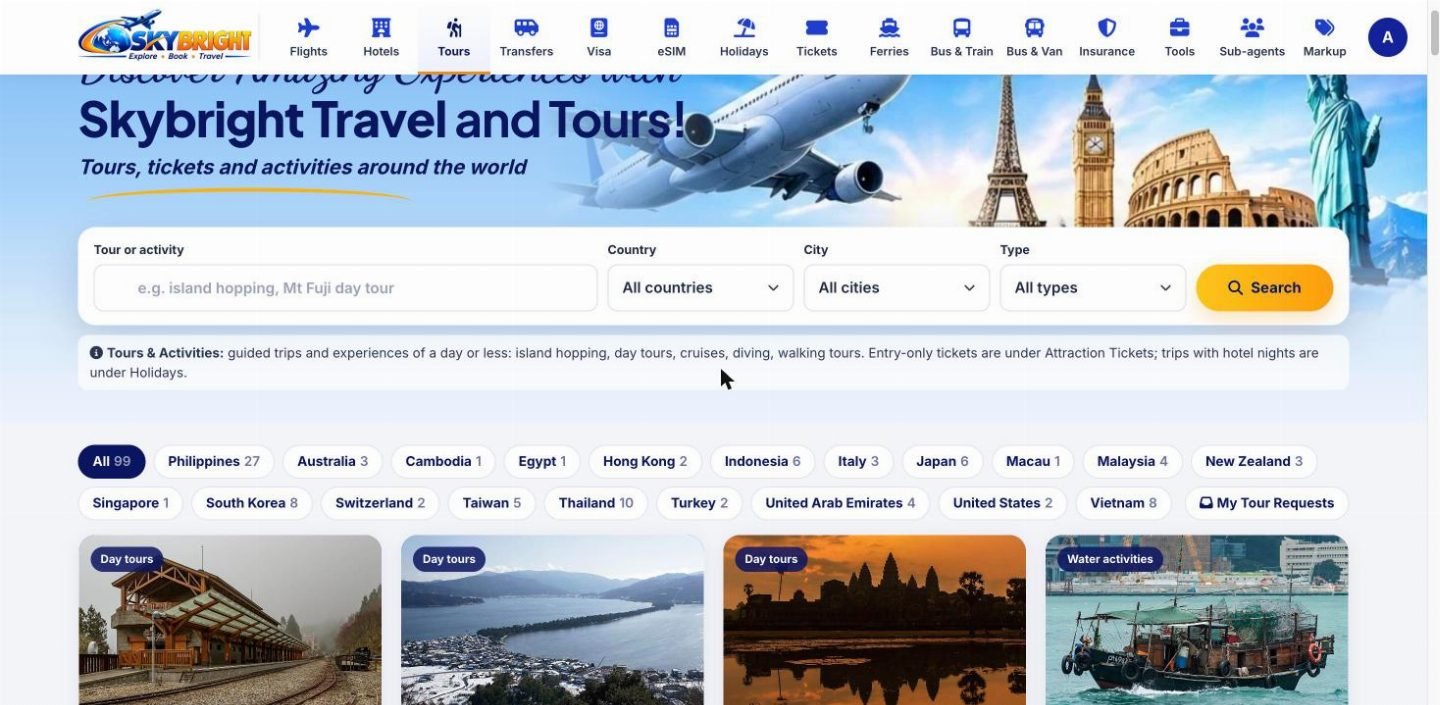
About 2,200 tours and tickets abroad (Vietnam, Thailand, Japan, Dubai, Europe, the USA and more) have a blue INSTANT badge: live times, places left and the exact price for your date, confirmed in minutes. Philippine tours are Manual.
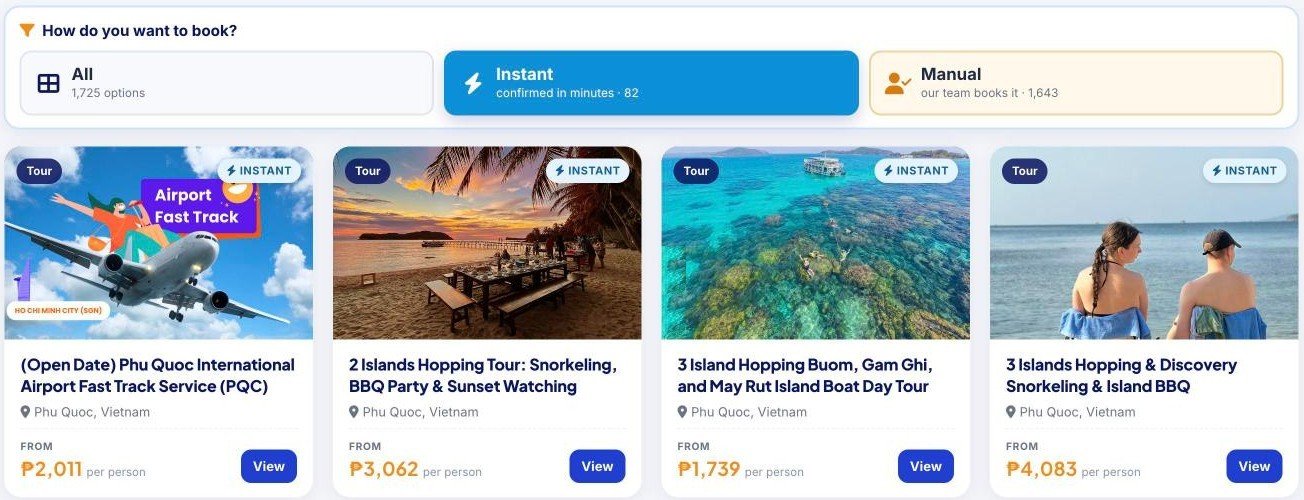
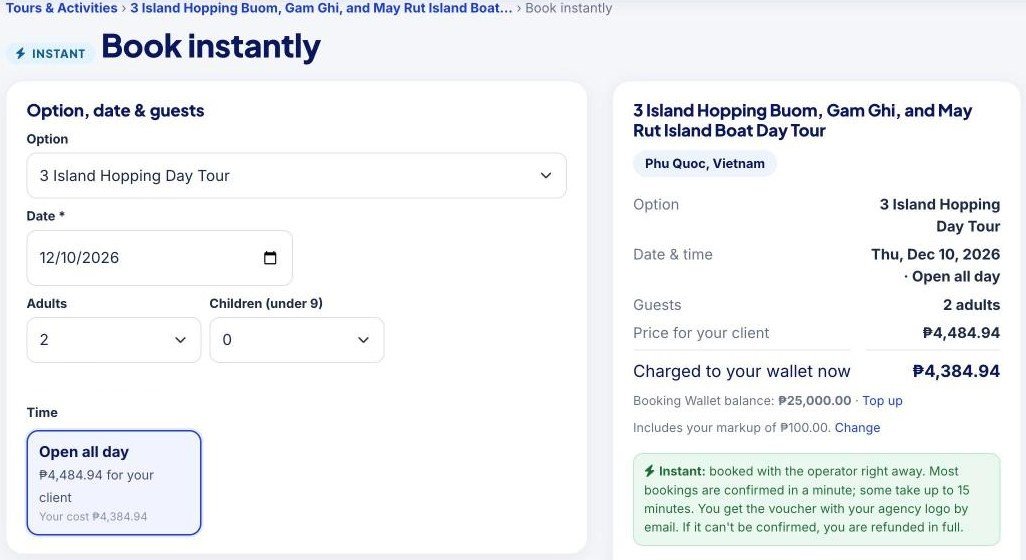
Some options have no fixed price, and supplier prices can move. Here is what happens next, up to the ticket you give your client.
You get an email: pay the difference from your wallet, or cancel for a full refund. No answer within 24 hours = cancelled and refunded.

Private cars and vans between airports, cruise ports and hotels, in the Philippines and abroad. Booked online, confirmed instantly, paid from your Booking Wallet.

Type From and To (a port or a country): Philippine islands and routes worldwide. You get up to two kinds of result: Manual (Starlite, booked by our team) and Instant (all operators, online). Routes with both show a + INSTANT badge.
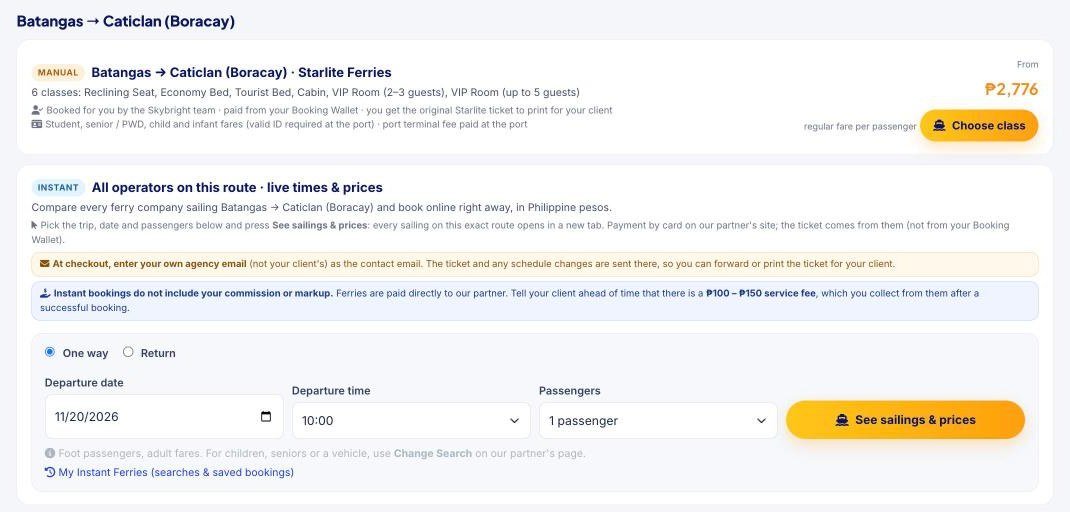
In the Instant card choose One way or Return, the dates and times and the passengers, then See sailings & prices: that exact route opens in a new tab. Pay by card on our partner's site (not your wallet). At checkout enter your own agency email, so the ticket comes to you. Then press I booked it in Ferries > My Instant Ferries to save the reference and e-ticket.
Seats on scheduled buses and trains, booked for you by our team, and private buses or vans with driver for groups.
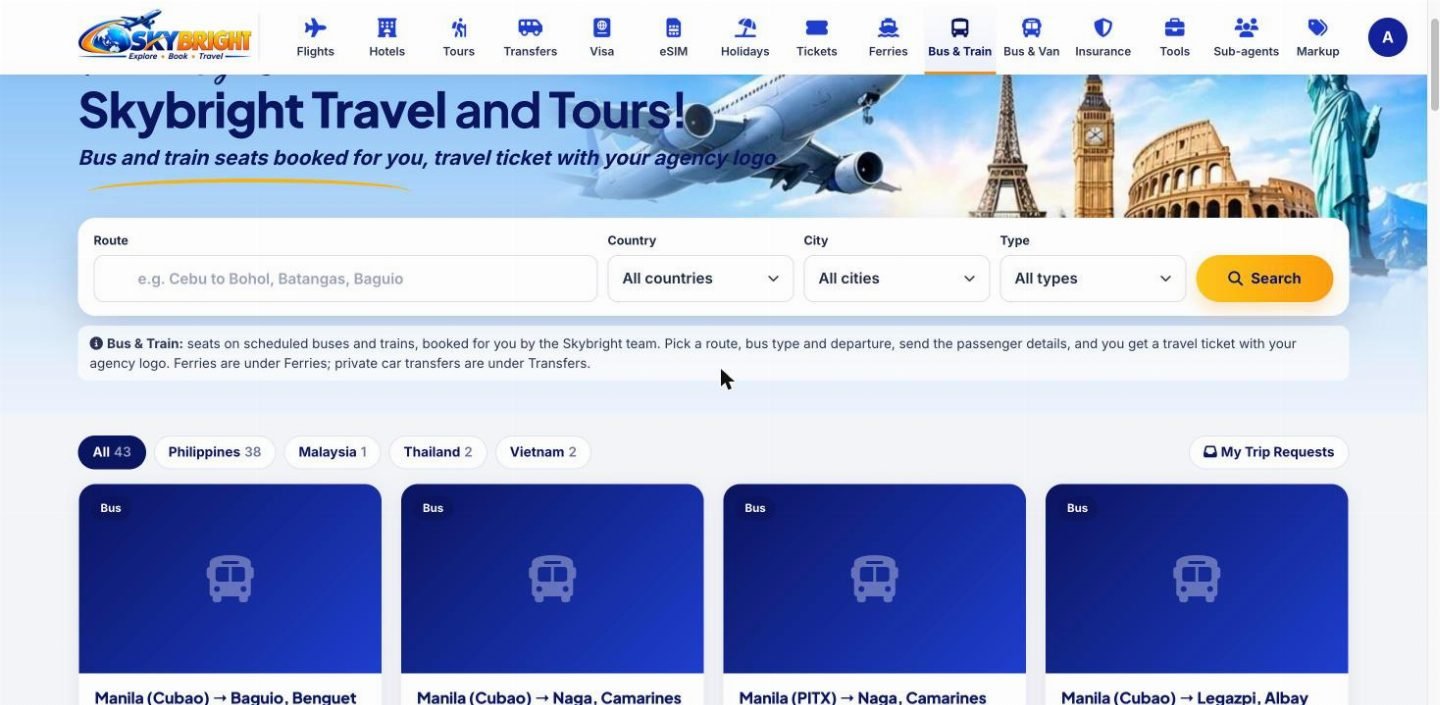
Bought a bus ticket yourself on the bus company's website (e.g. Bicol Isarog)? Upload it, add your markup, and download a ticket with your agency logo, barcode and QR for your client.

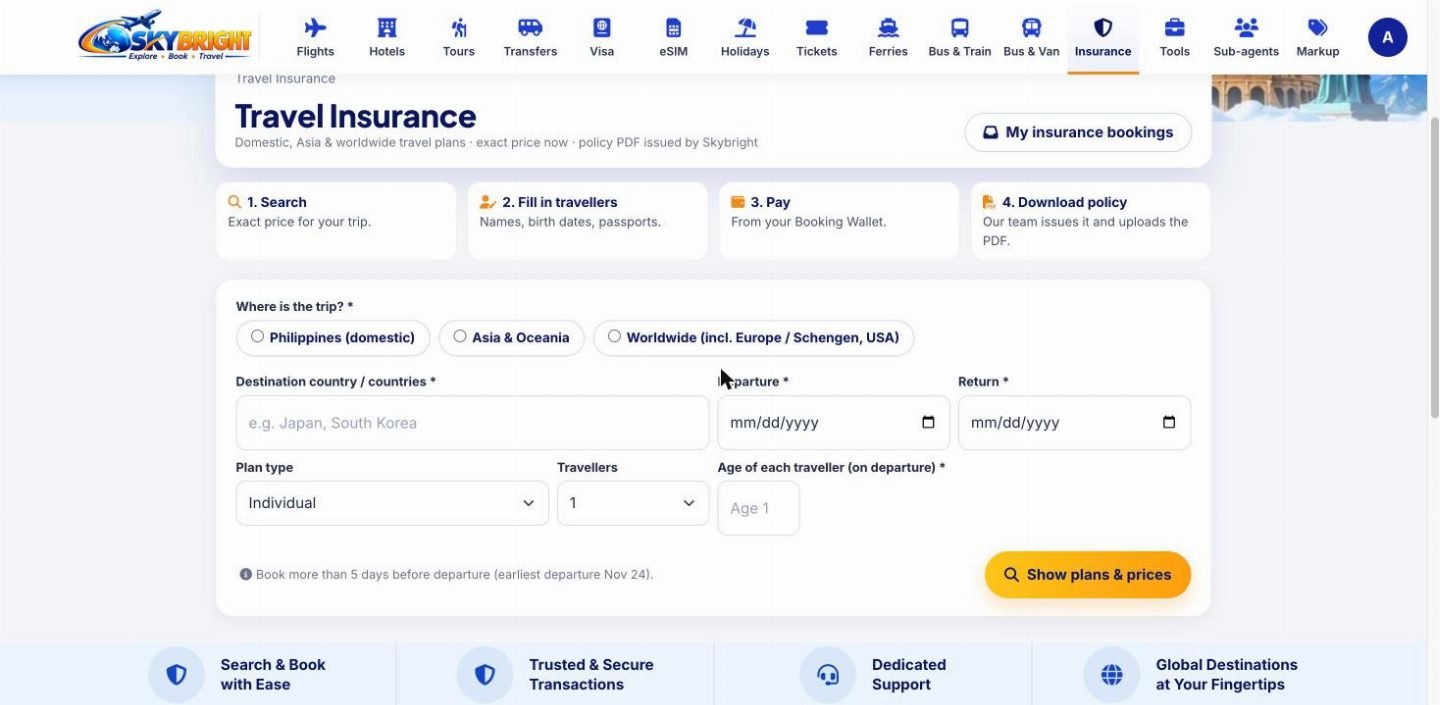
Domestic, Asia & Oceania and worldwide plans (Schengen-approved) with exact prices. Paid from your Booking Wallet; the policy PDF is issued by our team.
Our visa team reviews your client's documents, guides the application and handles the submission.
 123
Mobile data for 200+ countries, issued in seconds. Your client scans a QR code before the trip, with no SIM card to swap. An easy add-on for every flight you sell.
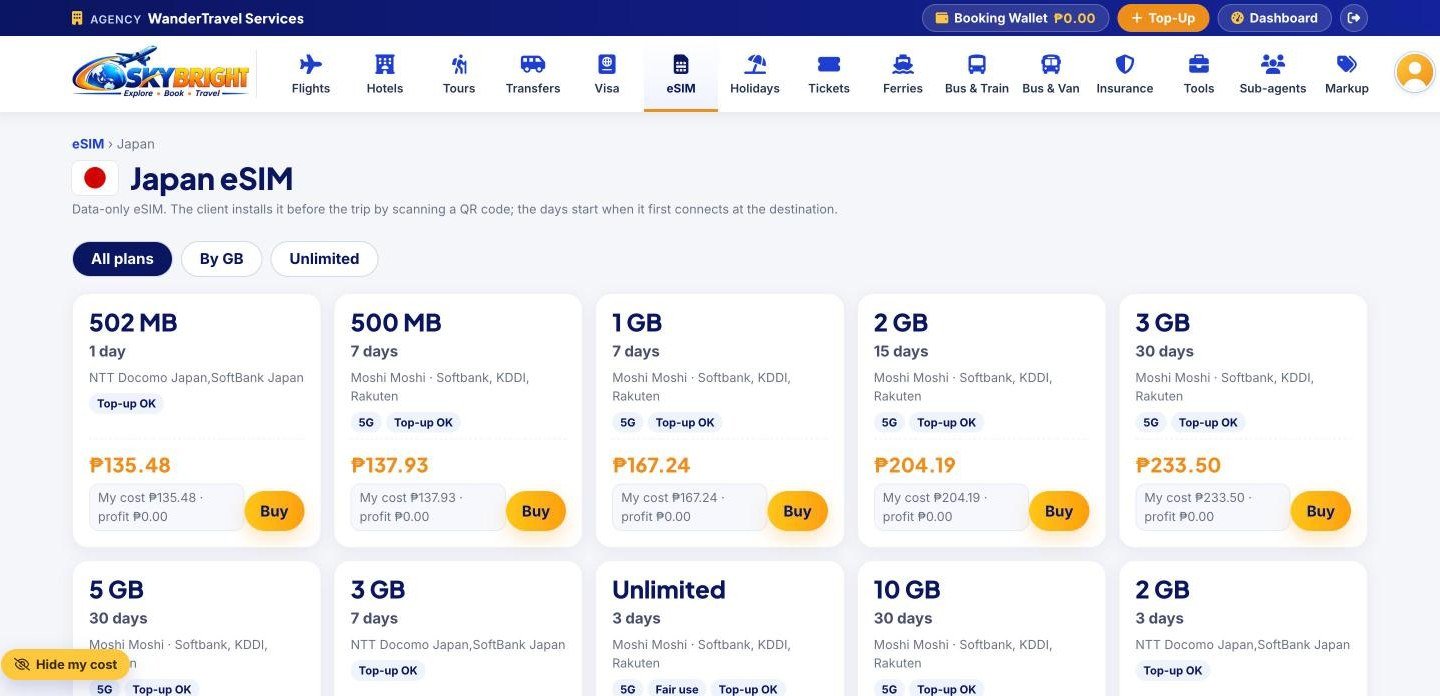 1234
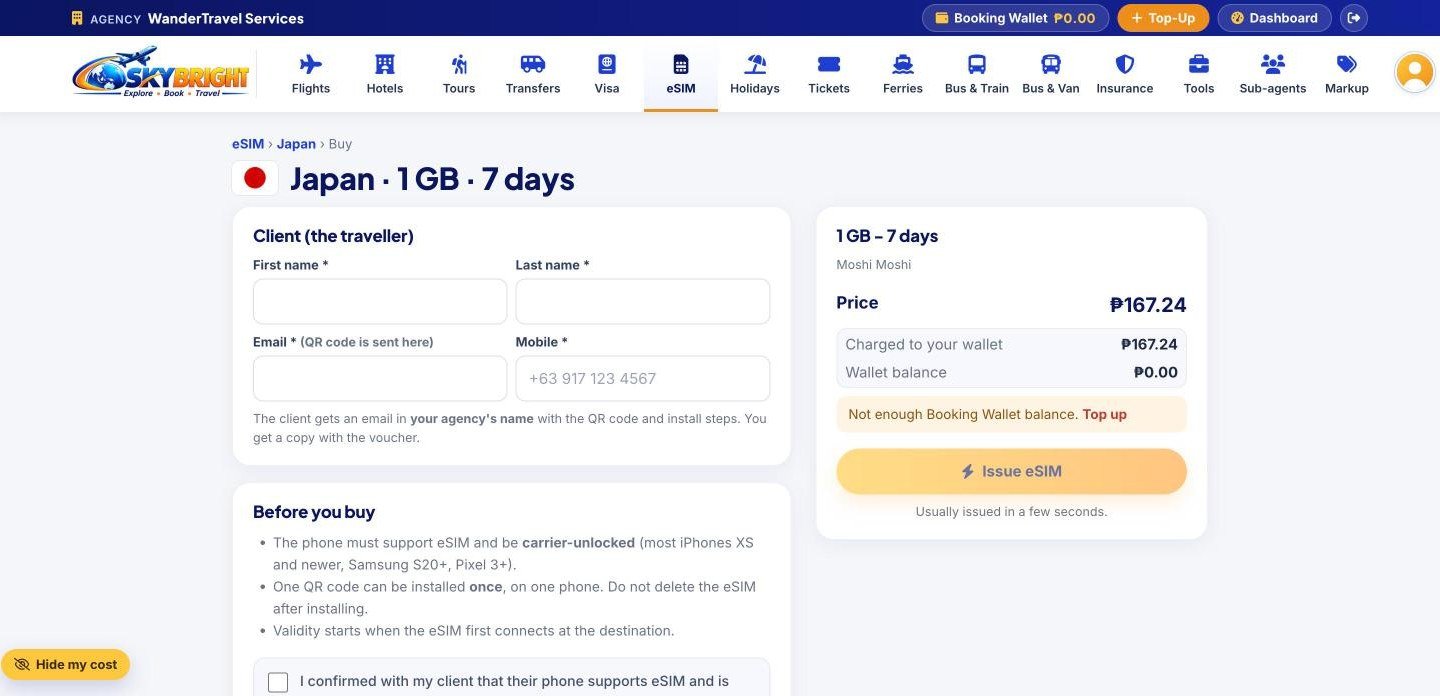 1234
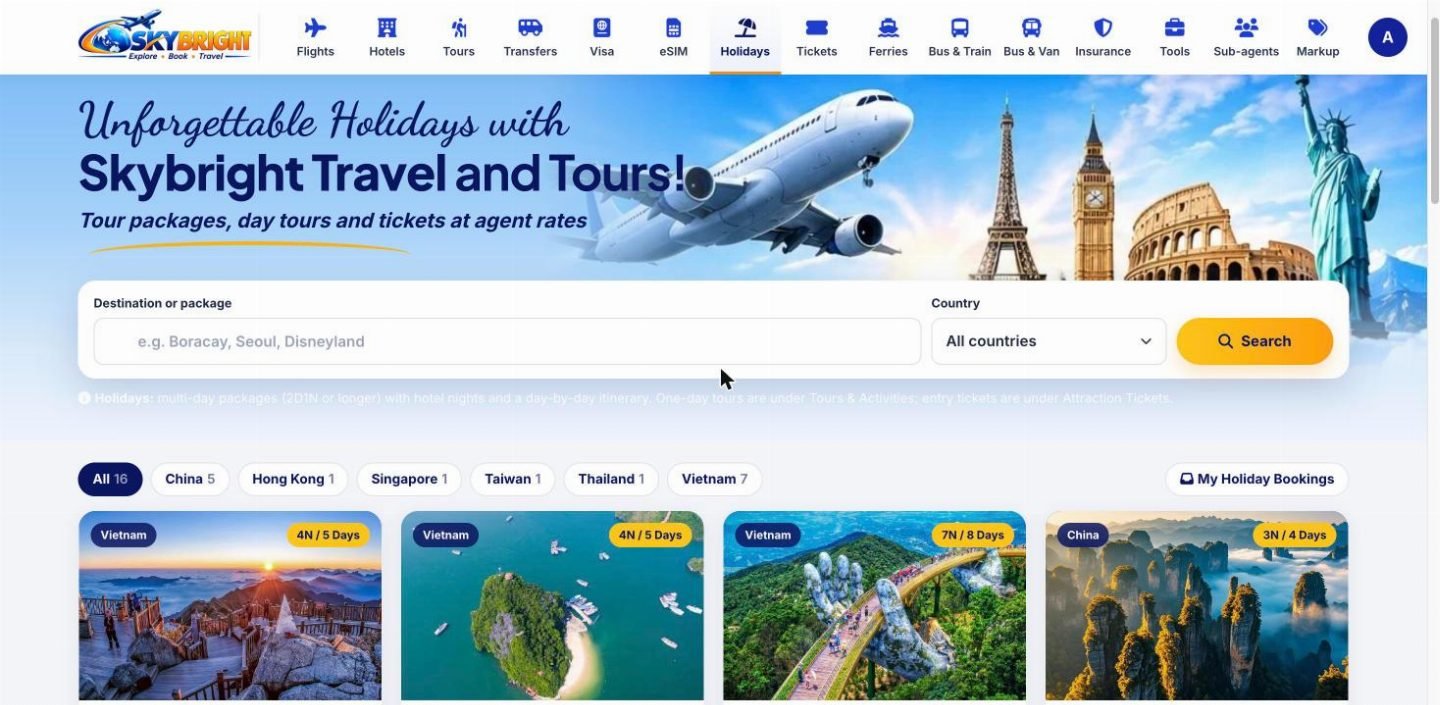
Multi-day packages with hotel nights and a day-by-day itinerary, at agent rates. Filter by country (China, Vietnam, Thailand, Singapore, Hong Kong...).
Look professional and close more sales: branded quotations, a saved client list and the Skybright app on your phone.
Send clients a professional, branded quote. Your cost is never shown to them.
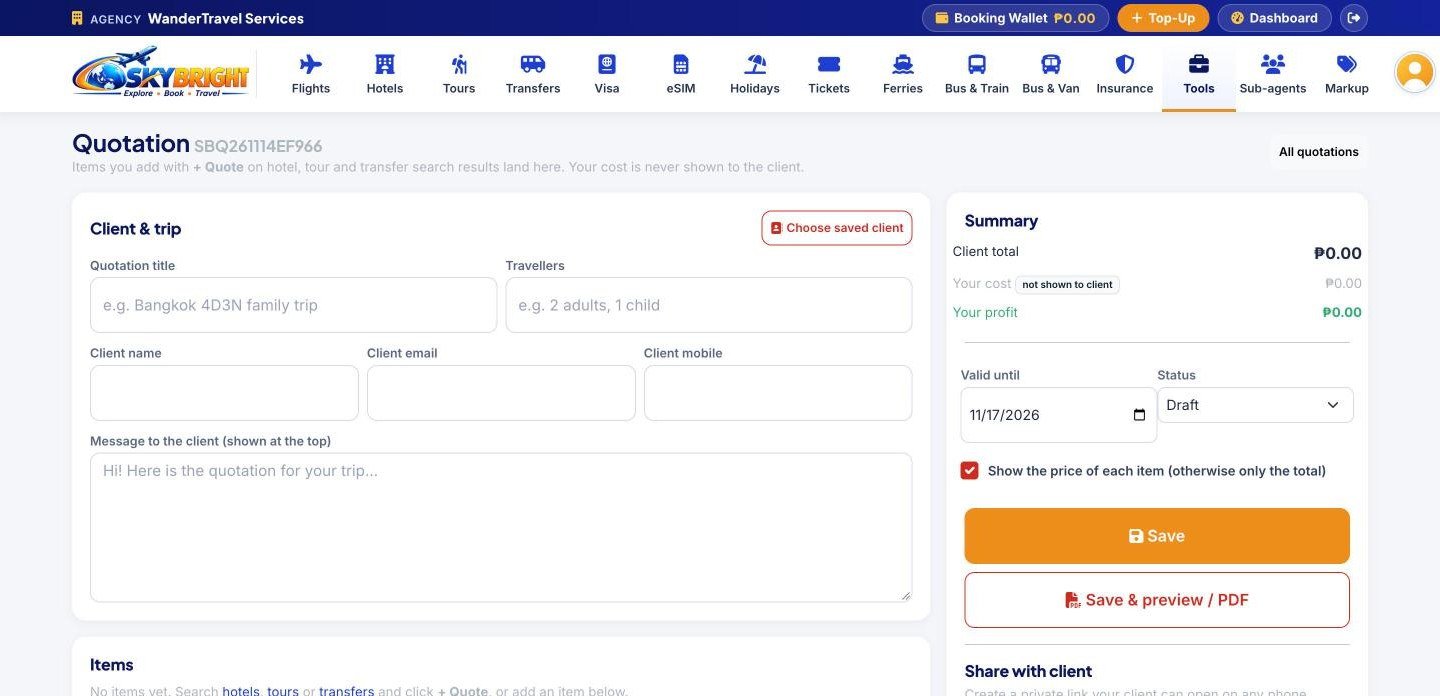 12345
Post a professional travel promo every day without designing anything. Each image already has your agency name, your logo, your mobile number and your own selling price.
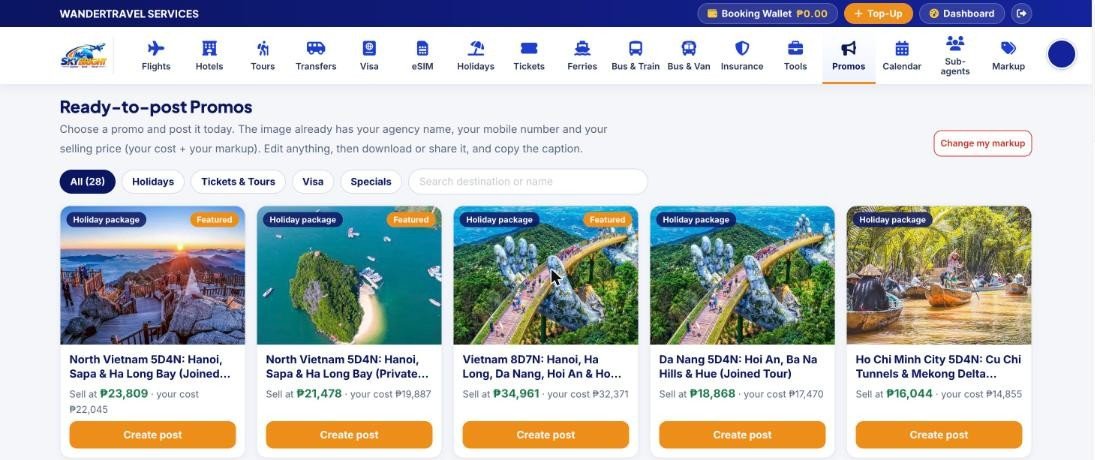 1234
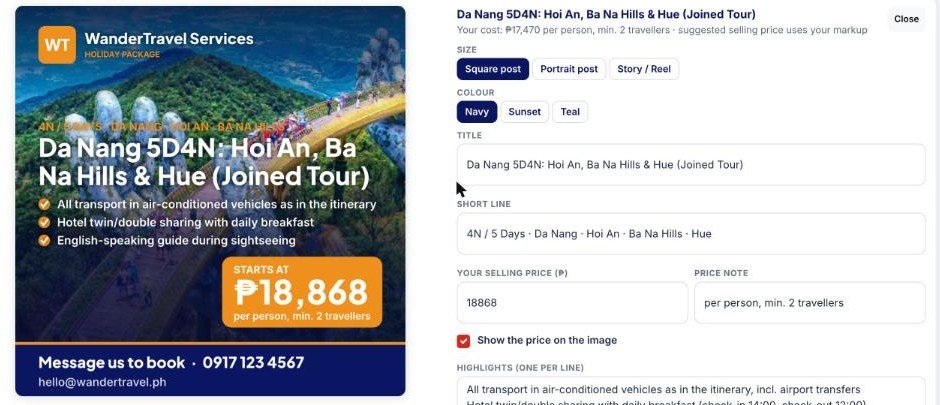 1234

Every SkyBright agent gets a free website at skybright.online/youragency, with your logo, your promos at your own prices, a quote form and your Certificate of Accreditation. Requests from clients come straight to you.
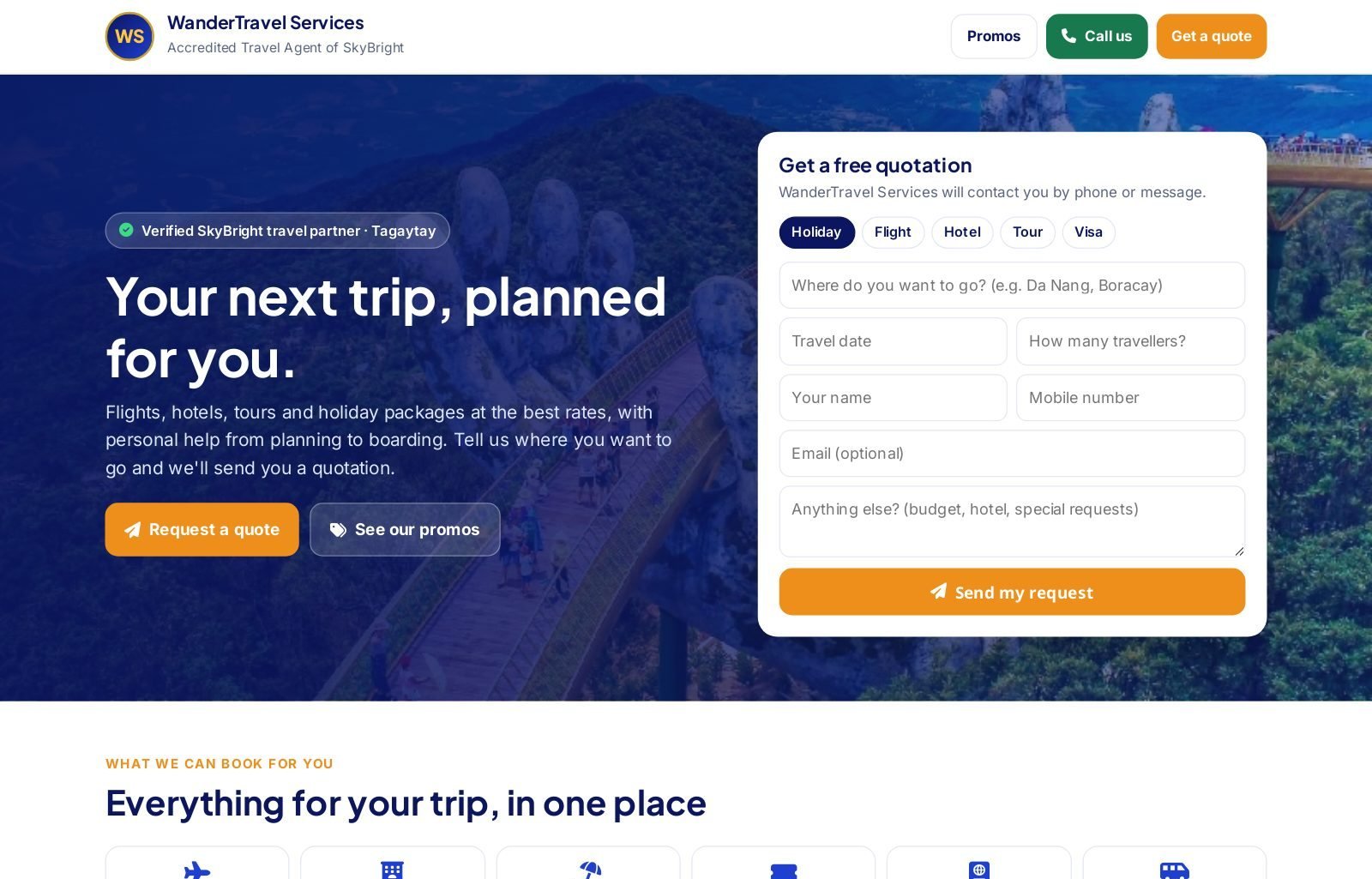 1234
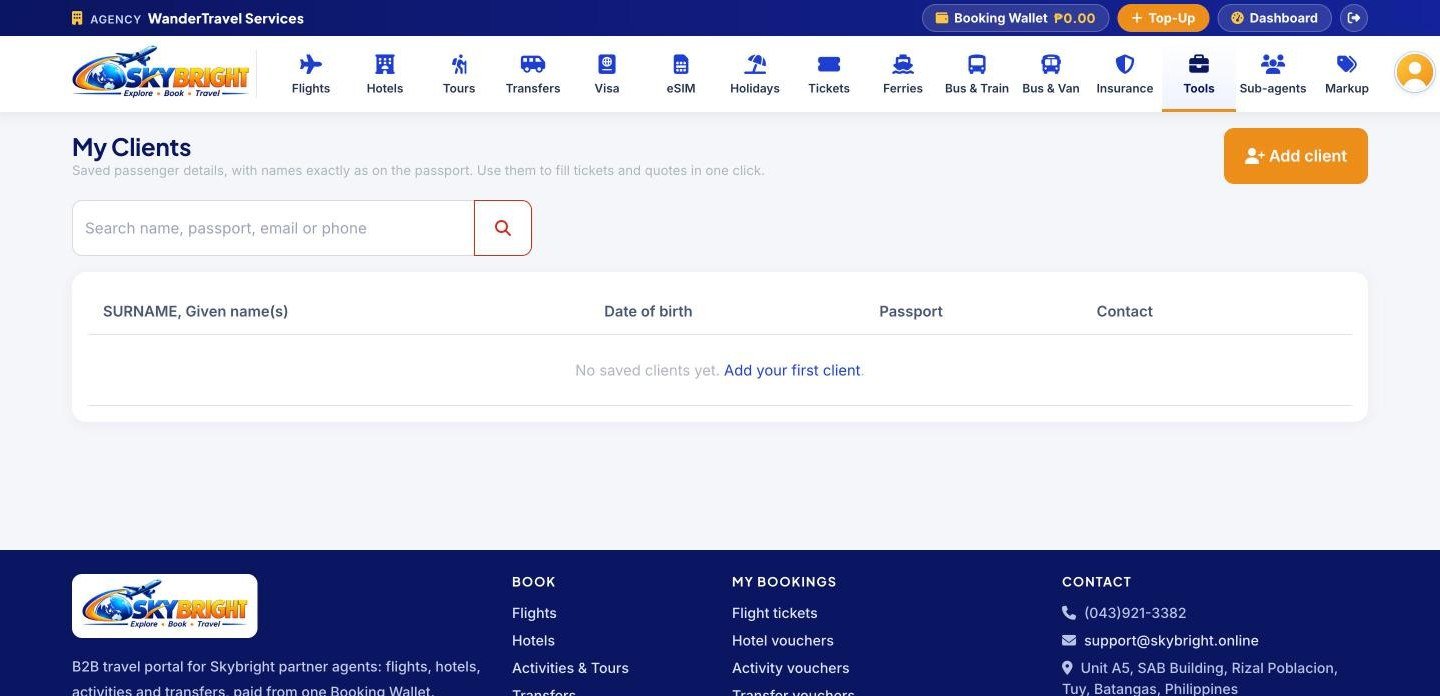
Menu > Sales Tools > My Clients > Add client. Save each client's name exactly as on the passport, date of birth, passport number and contact details. Next time, fill flight passengers and quotations in one click with Choose from my clients. Search by name, passport, email or phone.
Skybright pays you in five ways. Combine them and your travel business grows every month.
Most travel agents earn only from selling. As a Skybright agent you earn from selling, from inviting other agents, and from your team.
You set your profit per service (Part 2). Sell a flight with a ₱300 markup and you keep ₱300. No limit on how many you sell.
Invite a new agent with your referral link. When they join, you earn a share of their plan based on your own plan: Silver 12%, Gold 25%, Platinum 35%, Diamond 50% (up to ₱50,000 for one Diamond agent).
When the agents you invited bring in new agents, you earn 3% of each new plan, from levels 2 to 5 below you.
When an agent you invited upgrades their plan, you earn your plan's referral % (12% to 50%) of the price difference.
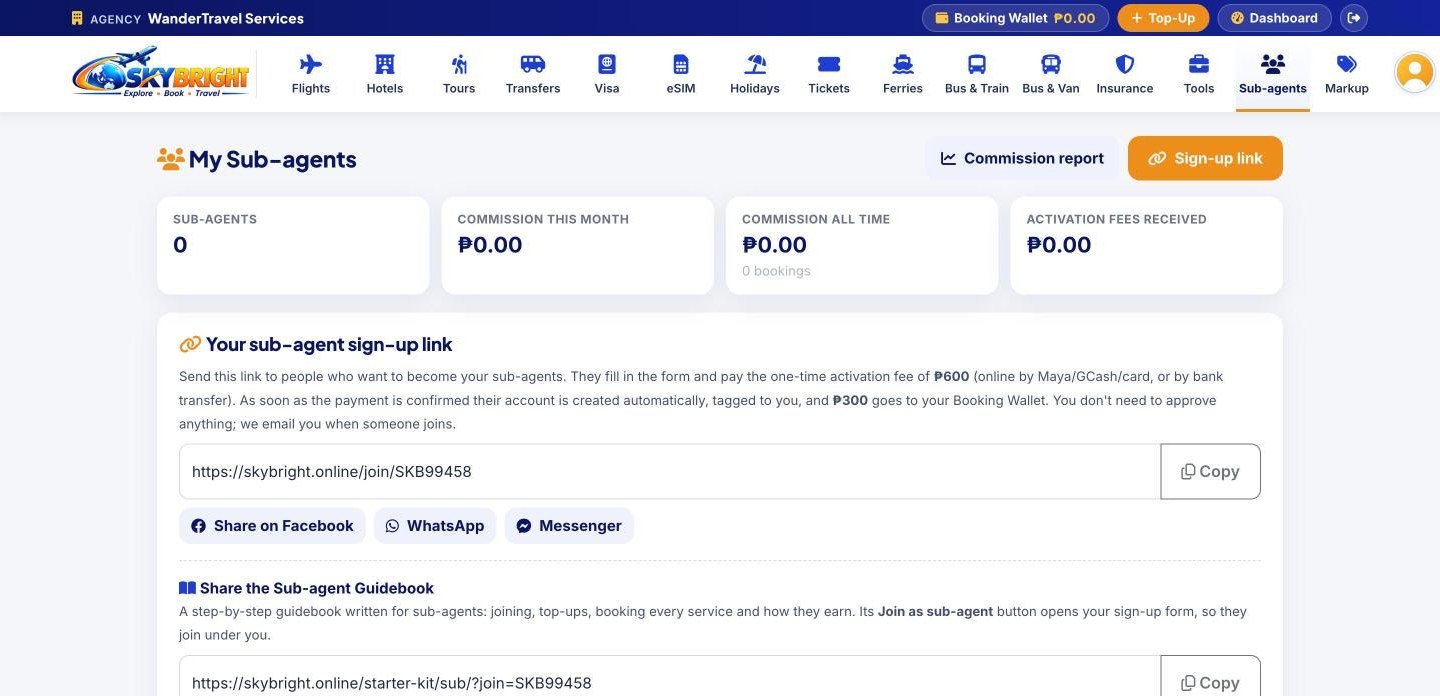
Bring in people who want to sell travel but don't want a full plan. Each sub-agent pays a ₱600 activation fee and ₱300 goes to your Booking Wallet. Then you earn your own markup on every flight, hotel and eSIM they book, automatically.
| Income | Paid to | How you use it |
|---|---|---|
| Markup on your bookings | Collected from your client | Your client pays you the full price; Skybright only charges your cost. |
| Referral, level and upgrade bonuses | Commission Wallet | Cash out to GCash, Maya, bank or pick-up center (Part 6). |
| Sub-agent activation (₱300) and sub-agent markup | Booking Wallet | Use it for your own bookings. |
Every agent you invite earns you a one-time bonus when they join. The higher your own plan, the bigger your share: Silver 12%, Gold 25%, Platinum 35%, Diamond 50% of the new agent's plan.
| Your plan (your %) | They join Silver ₱2,500 | They join Gold ₱5,500 | They join Platinum ₱20,000 | They join Diamond ₱100,000 |
|---|---|---|---|---|
| Silver (12%) | ₱300 | ₱660 | ₱2,400 | ₱12,000 |
| Gold (25%) | ₱625 | ₱1,375 | ₱5,000 | ₱25,000 |
| Platinum (35%) | ₱875 | ₱1,925 | ₱7,000 | ₱35,000 |
| Diamond (50%) | ₱1,250 | ₱2,750 | ₱10,000 | ₱50,000 |
| Level bonus (levels 2-5, 3% each) | ₱75 | ₱165 | ₱600 | ₱3,000 |
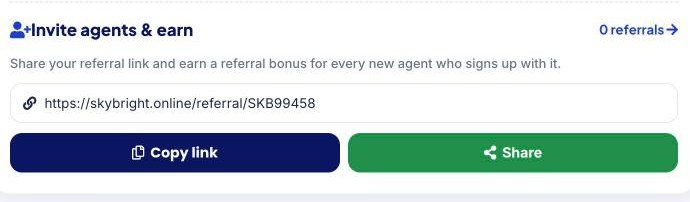
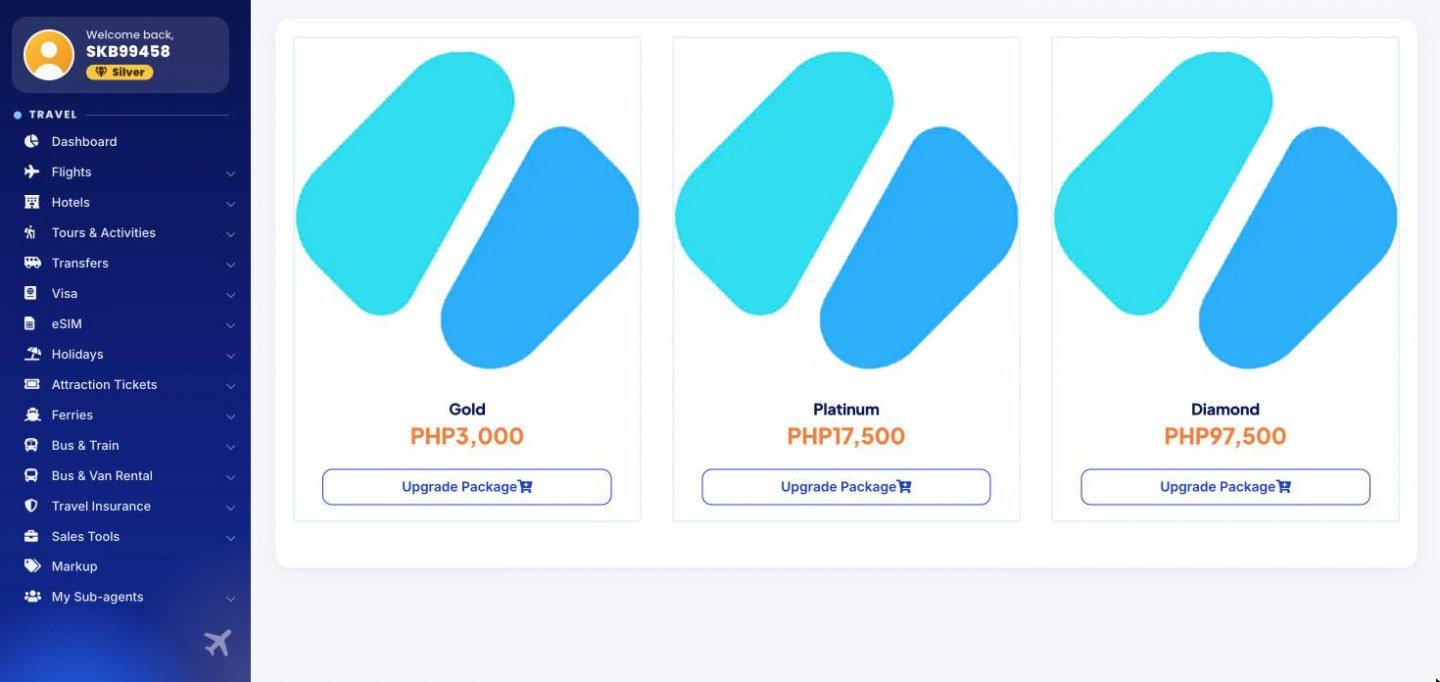
Menu > Upgrade Package. You pay only the difference (e.g. Silver to Gold: ₱3,000), and from then on you earn the higher referral % on every new agent. When an agent you invited upgrades, you earn your referral % of that difference (e.g. as Diamond: 50% of ₱3,000 = ₱1,500). See your whole team in Menu > Networks > Genealogy tree and Level base list.
Sub-agents are people who sell travel under you: friends, relatives, resellers, office mates abroad. They book everything on Skybright; you earn on their sales without doing the work.
 1234
Two examples of how agents combine the 5 income streams in one month. Your results depend on your own effort and sales.
| 20 flights × ₱300 markup | ₱6,000 |
| 15 eSIMs × ₱100 markup | ₱1,500 |
| 5 tours × ₱400 markup | ₱2,000 |
| Invites 3 Silver agents (3 × ₱300 at 12%) | ₱900 |
| 4 sub-agents join (4 × ₱300) | ₱1,200 |
| Sub-agents book 30 flights (× ₱100) | ₱3,000 |
| Total for the month | ₱14,600 |
| 60 flights × ₱400 markup | ₱24,000 |
| Holidays, visas, eSIMs (markup) | ₱8,000 |
| Invites 2 Gold + 1 Platinum agent (50%) | ₱15,500 |
| Team brings 10 Silver agents (level bonus) | ₱750 |
| 10 sub-agents join (10 × ₱300) | ₱3,000 |
| Sub-agents book 120 flights (× ₱100) | ₱12,000 |
| Total for the month | ₱63,250 |
The same new Diamond agent earns a Silver member ₱12,000, a Gold member ₱25,000, a Platinum member ₱35,000 and a Diamond member ₱50,000. Upgrading your own plan multiplies every referral you make.
These are illustrations only, not a promise of income. Bonus rates are set by Skybright and may change; your dashboard and wallet reports always show your actual earnings.
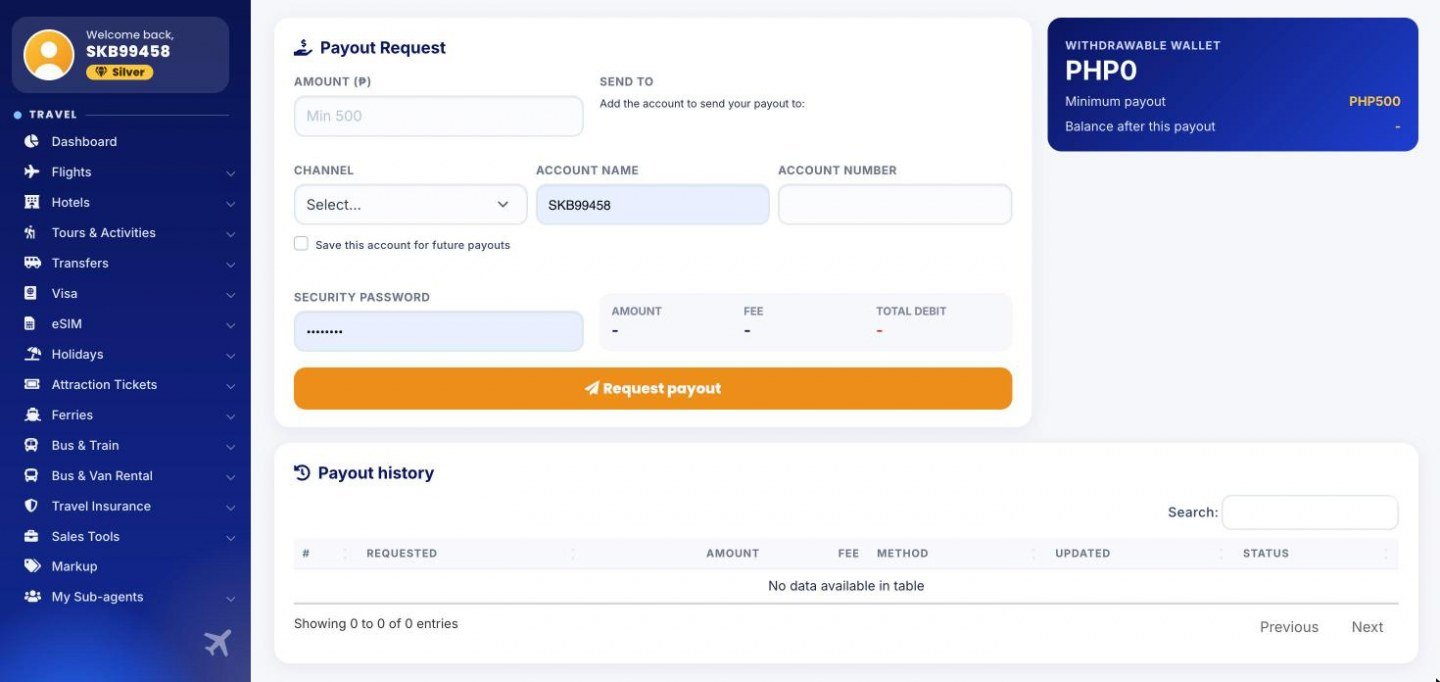
Cash out your Commission Wallet to GCash, Maya, your bank or a pick-up center, and keep track of every peso.
Dashboard > Commission Wallet > Request Payout, or Menu > Wallet > Payout Request.
 12345678
 123456
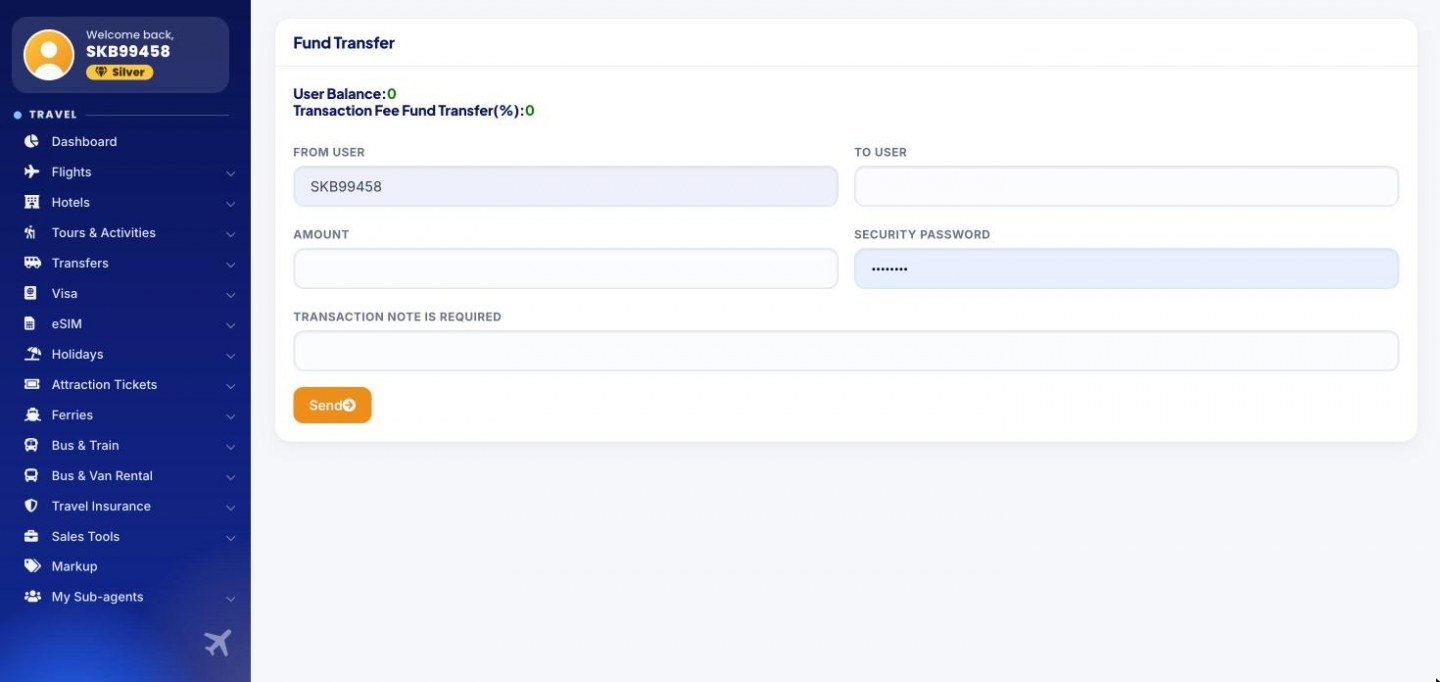
Menu > Wallet > Fund transfer sends money from your withdrawable wallet to another Skybright member (for example, to help an agent on your team).
| Menu > Reports | What it shows |
|---|---|
| Wallet details / Wallet summary | Every credit and debit in your Commission Wallet: bonuses, payouts, transfers. |
| Flight Wallet Credit Debit | Every movement in your Booking Wallet: top-ups, bookings, refunds. |
| Deposit report | Your bank top-up requests and their status. |
| Fund Transfer Report | Money you sent and received. |
| Purchase history | Your plan and upgrade purchases. |
| Sub-agents > Commission report | What you earned from each sub-agent booking. |
Answers to the questions new agents ask most, a checklist of golden rules, and how to reach us.
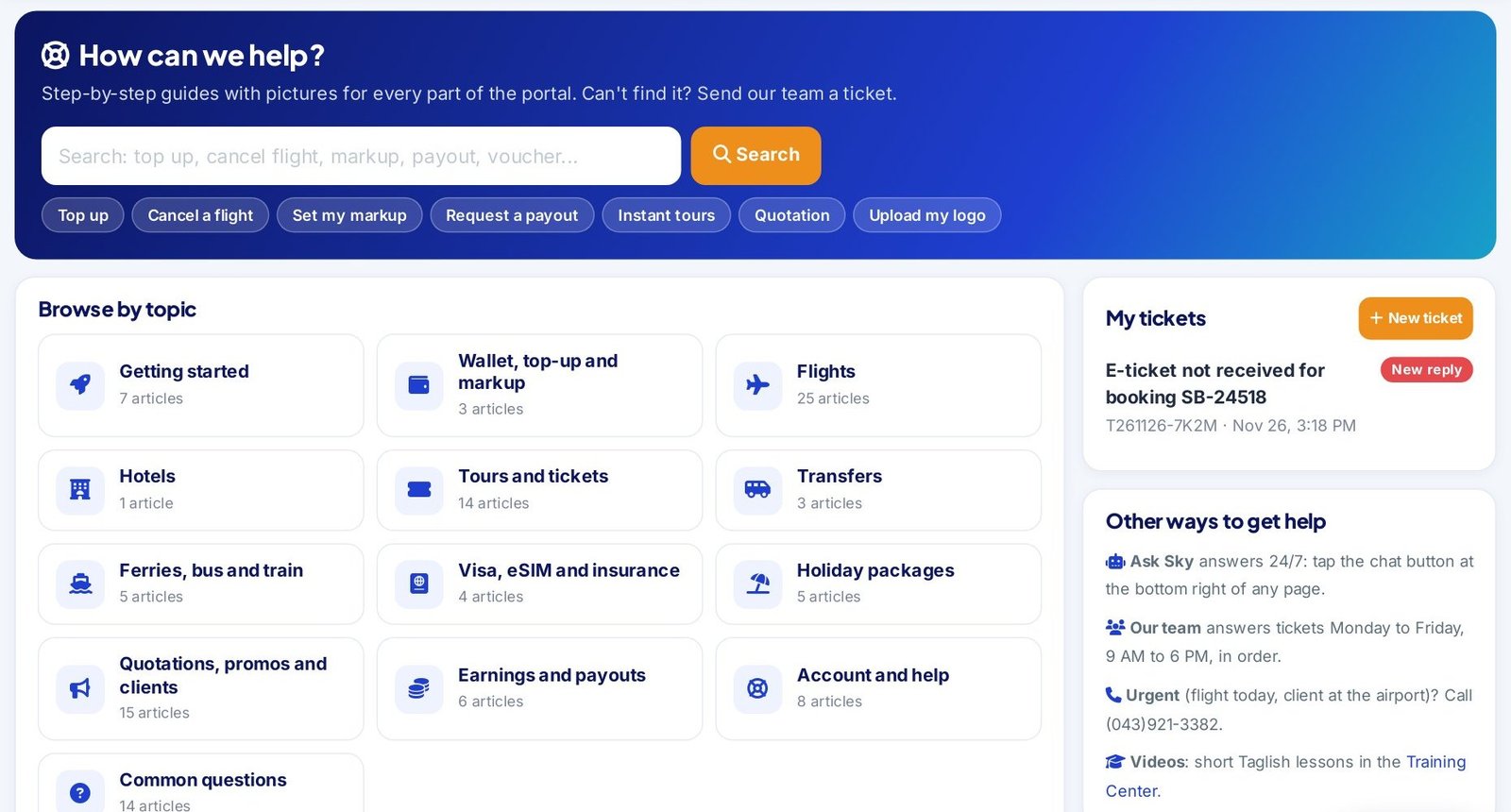
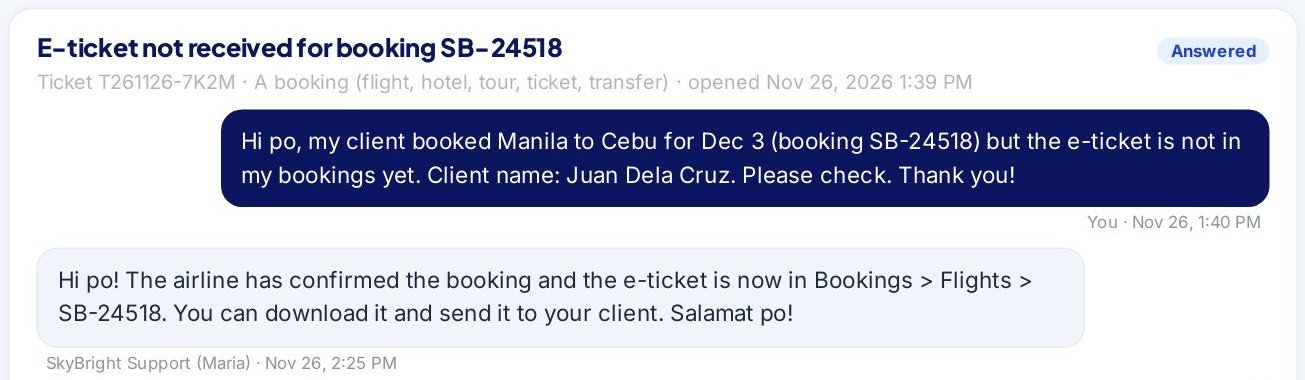
Need help? Open Menu > Account > Support Desk (or skybright.online/support). Every page of this guidebook is there as a step-by-step guide with pictures, plus quick answers. If the answer is not there, send our team a ticket.
 12345
Each guide ends with Did this answer your question? Click No, send a ticket and the ticket opens with the subject already filled in.
After our team checks your proof of payment. Paying online activates your account right away.
It usually takes under a minute. Refresh the page. If it still doesn't show after 15 minutes, contact support with the payment reference.
Type the 3-letter airport code (MNL, CEB, DVO...) or the airport name.
Fares are held for 15 minutes. Search again to get fresh fares.
No. Your wallet pays only your cost. You collect the full price, including your markup, from your client.
Contact support immediately with the PNR. Airlines treat name changes strictly and may charge a fee or not allow it.
Contact Skybright support with the PNR. We cancel with the airline; the refund (minus airline and cancellation charges) returns to your Booking Wallet when the airline confirms.
Your own agency email, at checkout on our partner's site. The ticket and any schedule changes come to you; forward or print it for your client. Everything else (tours, tickets, transfers, Starlite ferries, buses) is booked inside the portal, so no partner email is needed.
No. Check that the phone supports eSIM and is unlocked before you issue it.
As soon as the new agent's plan is paid and approved. It appears in your Commission Wallet. The amount is your plan's % (12/25/35/50%) of their plan.
A second password for payouts and fund transfers. It is in your welcome email; change it in Profile > Change Security Pin.
Common reasons: the amount is below ₱500, the balance doesn't cover the amount plus the fee, a wrong Security PIN, or you already have a pending request.
Agents buy a plan and earn referral and level bonuses. Sub-agents pay a ₱600 activation, book under an agent, and the agent earns on their bookings.
Hotel prices change quickly. Go back to the hotel and pick the room again, or choose another room. If the price changed, you will see the new total before you confirm.
Phone: (043) 921-3382
Email: support@skybright.online
Office: Unit A5, SAB Building, Rizal Poblacion, Tuy, Batangas, Philippines
Help in the portal: Ask Sky (24/7) or Menu > Account > Support Desk
Explore · Book · Travel. Thank you for growing with Skybright!